
Key takeaways
- Compare the best Shopify apps by their features, pricing, and the holiday shopping problems they solve.
- Explore personalization, bundles, and upsells to offer gift choices and encourage larger orders.
- Use reviews, clear delivery estimates, and timely support to help shoppers buy with confidence.
- Bring shoppers back through email, SMS, push notifications, and loyalty rewards.
- Choose apps without overlapping features and test speed, mobile usability, and checkout before holiday campaigns.
The best Shopify apps for holiday sales remove buying friction at every stage of the customer journey. For Q4 2026, Shopify merchants should prioritize product personalization, bundling, social proof, delivery estimates, cart recovery, customer support, and flexible payments.
Why does this app stack matter now? Holiday shoppers move quickly, compare more products, and expect a smooth experience from discovery through checkout. The right Shopify apps can help merchants improve product discovery, increase average order value, build trust, reduce cart abandonment, and provide timely support during the busiest shopping period of the year.
This blog lists the top 11 Shopify apps for the 2026 holiday season, explaining what each app does, where it fits in the sales funnel, how it connects with your store, and which trade-offs to consider.
Top 10 Shopify Apps To Boost Your Upcoming Holiday Sales: At a Glance
| App | Best For | Rating | Starting Price |
|---|---|---|---|
|
InkyBay
|
Product personalization and customization | ★★★★½ 4.5 | $19.99/month |
|
Optionia
|
Product options and personalization | New app | Free to install |
|
Rebolt
|
Bundles and pre-purchase upsells | ★★★★½ 4.8 | Free to install |
|
ReConvert
|
Post-purchase upsells | ★★★★½ 4.8 | $4.99/month |
|
Loox
|
Photo and video reviews | ★★★★½ 4.9 | Free plan available |
|
Hextom Countdown Timer Bar
|
Sales and shipping countdowns | ★★★★½ 4.9 | Free plan available |
|
Klaviyo
|
Email, SMS, and cart recovery | ★★★★½ 4.7 | Free to install |
|
Gorgias
|
Customer support management | ★★★★½ 4.3 | $10/month |
|
Estimated Delivery Date – ETA
|
Delivery date estimates | ★★★★½ 4.9 | Free plan available |
|
Brevo PushOwl
|
Web push notifications | ★★★★½ 4.8 | Free plan available |
|
Smile
|
Rewards and loyalty programs | ★★★★½ 4.9 | Free plan available |
Why Do Your Shopify Apps Matter More During the Holidays?
Shopify apps matter more during the holidays because more shoppers visit your store within a shorter period. Every slow page, missing delivery date, confusing product option, or checkout problem can cost you a sale.
The right apps help customers:
Find the right product
Personalize a gift
See the final price
Check the expected delivery date
Read reviews
Complete checkout
Get quick support
During the holiday season, your apps also need to work together smoothly. A personalization app should pass customer choices to the cart, a shipping app should show accurate delivery estimates, and a support app should help resolve questions quickly. When these tools work properly, customers can shop with fewer interruptions and feel more confident completing their orders.
So, what should Shopify merchants do for Q4 2026? Choose apps that show key details clearly and pass the right information through the full order process. If a customer adds a name, photo, color, or custom message, those choices should appear correctly in the cart and final order. If an app shows a delivery date, it should use the product’s real production and shipping time.
How Do You Choose the Right Shopify Apps for Your Store?
Choose Shopify apps based on the problem they solve, their proven performance, and how well they work with your store. For Q4 2026, a small group of tested apps is safer than a large app stack with repeated features. Here is what you should check before installing an app:
Start with one clear purpose: Decide what your store needs. You may need product personalization, bundles, reviews, delivery estimates, cart recovery, or customer support. Each app should solve one clear problem.
Check the rating and review count: A high rating helps, but the review count adds context. Read recent reviews from merchants with stores similar to yours. Look for comments about app speed, customer support, theme compatibility, billing, and checkout problems.
Check how the app displays information:Google says websites don't need special markup to appear in AI Overviews or AI Mode. However, key information should be available as text, and structured data should match the visible page content. Choose apps that clearly display prices, product options, reviews, stock details, and delivery dates. If these details are hidden in an image or only appear after several clicks, search engines and AI tools may struggle to understand them.
Avoid apps with repeated features: Two bundle apps may try to change the same cart. Two countdown apps may load extra scripts and show different deadlines. Before installing a new app, check whether an existing app already offers the same feature.
Check whether AI search crawlers can access your store: An SEO app cannot fix blocked crawler access. OpenAI states that websites blocking OAI-SearchBot will not appear as sources in ChatGPT search answers. Check your robots.txt file and CDN settings before paying for an app that promises AI-search visibility.
Test before the holiday rush: Install your main apps at least four weeks before your Q4 2026 campaign:
Week 1: Install and configure each app.
Week 2: Test product pages, cart, checkout, and order details.
Week 3: Check mobile usability and page speed.
Week 4: Fix problems and avoid major last-minute changes.
Top 11 Shopify Apps That Boost Your Upcoming Holiday Sales
The best Shopify apps for Q4 2026 solve a clear problem in the buying journey. This top list covers product personalization, bundles, upsells, reviews, urgency, cart recovery, support, delivery dates, push notifications, and flexible payments. Let’s see all the apps in detail and how they truly make a difference:
1. Product Customizer: InkyBay- Product Personalization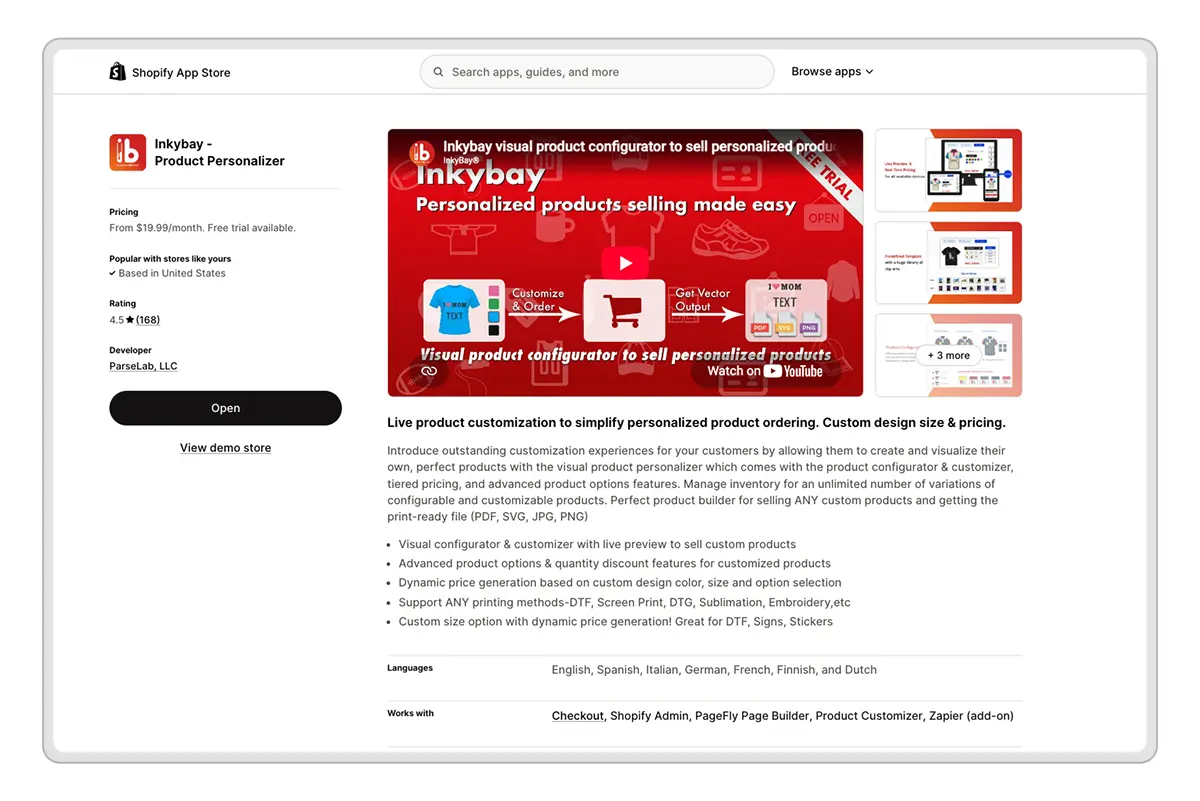
InkyBay is best for selling personalized, customized, or made-to-order products. It lets customers design a product and see the result before ordering. To compete in this holiday market, you need a product personalizer. This not only lets you sell personalized products easily but also makes your products harder for competitors to match.
Key features
Live product preview
Text, image, logo, clipart, and artwork uploads
Dynamic pricing based on colors, sizes, and selected options
Complex product configurator
Quantity discounts
Inventory support for product variations
Print-ready PDF, SVG, JPG, or PNG files
Add every print type (screen printing, DTG, DTF, sublimation, or embroidery)
Integrations with Shopify Checkout, Shopify Admin, and Zapier
What makes InkyBay different
InkyBay connects the customer-facing design process with pricing and production. When a shopper changes a design, the preview and final price are updated instantly. After the order, you can download a print-ready file instead of rebuilding the design manually.
Price
The Starter plan costs $19.99 per month and supports up to 10 custom products and 30 custom orders per month. They also offer Advanced ($49.99/month), Professional ($99.99/month), and Unlimited ($249.99/month). All packages include a 21-day free trial, and you can cancel anytime during this period. InkyBay is a better fit when customers need to see and control the design.
2. Product Personalizer: Optionia Product Options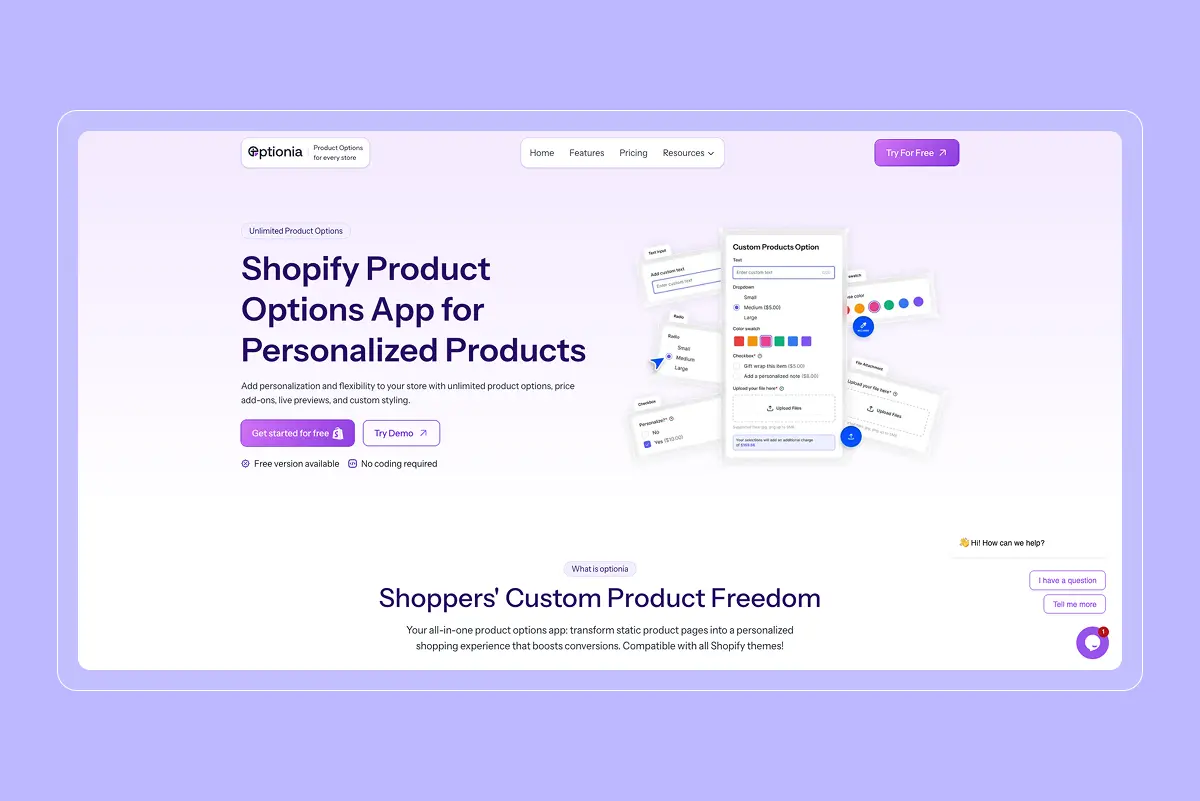
Optionia is a good fit for selling holiday gifts with personalized details and paid extras. Think of a Christmas stocking with a child’s name, a mug with a family photo, or a gift that needs a handwritten message. Optionia lets you collect those choices on your product page without coding. It is best for merchants who want to sell simple personalized products without too much complexity.
Key Features
Unlimited product options
Text fields, dropdowns, checkboxes, and radio buttons
Single and multiple Image and color swatches
File uploads and date pickers
Multi-level options that show relevant choices
Price add-ons for premium customization
Condition-based option assignment using product conditions
Custom CSS on the Professional plan
Preview every product option before going live
What Makes Optionia Different From Other Product Options Apps?
Optionia brings personalization, conditional choices, and paid extras into one setup. For example, you could offer embroidery on a holiday bag, reveal a name field when shoppers select it, and charge for that extra work.
We chose Optionia because it gives merchants a practical way to offer more personal gifts while charging for the customization involved. Its reusable option sets also help when several holiday products need the same choices.
Pricing
Optionia comes with a Free plan, which includes 10 option sets, nine basic option types, and up to 10 orders monthly. Advance costs $9.99/month, and the Professional plan costs $19.99/month, with unlimited option sets and orders. Paid plans offer a 14-day free trial.
3. Bundling Products: Rebolt- Bundle & Upsell
Rebolt is a good choice if you want to create holiday bundles and show upsell offers at different stages of the buying journey. You can use it for ready-made gift sets, build-your-own boxes, quantity discounts, free gifts, and product add-ons.
Key features
Fixed product and Mix-and-match bundles
Build-a-box gift sets
BOGO and Buy X, Get Y offers
Frequently bought together recommendations
Free gifts and product add-ons
Checkout and post-purchase offers
Smart URLs with preselected bundle products
A/B testing and bundle performance reports
AI-based recommendations and offer insights
What Makes Rebolt Different From Other Bundle Apps?
Rebolt stands out because it combines bundle building with full-funnel upselling. You can show offers on the product page, in the cart, at checkout, on the thank-you page, and after the purchase.
Rebolt also lets you create Smart URLs. These links can open your store with selected bundle products already added to the cart. You can use them in holiday emails, paid ads, gift guides, or influencer campaigns. We chose Rebolt because one app can support several types of holiday offers.
Price
The free plan is available until the store earns $300 in bundle revenue. The Growth plan costs $19.99 per month and includes a seven-day trial.
4. Post-Purchase Upsell: ReConvert
ReConvert is best for showing one-click offers after a customer completes checkout. You can also use it for product-page, cart, checkout, and thank-you-page upsells.
Key Features of ReConvert
One-click post-purchase upsells
Checkout upsells for Shopify Plus
Thank-you-page offers and widgets
AI product recommendations
Frequently bought together offers
Gift wrap, warranties, and shipping protection
Post-purchase surveys
Customer birthday collection
Drag-and-drop funnel editor
A/B testing and funnel reports
What Makes ReConvert Different From Other Upsell Apps?
ReConvert stands out because it combines full-funnel upselling with tools for improving the thank-you page. Besides showing product offers, it can collect survey answers and customer birthdays, display order tracking, and add social-sharing or discount widgets.
Some other top apps like AfterSell and Zipify OneClickUpsell support post-purchase offers. However, ReConvert helps with post-purchase surveys and birthday collection. It also connects seamlessly with Klaviyo, Loox, Shopify Flow, and Rebuy. We chose ReConvert because it lets you make another relevant offer after the first order is placed.
Pricing
ReConvert offers a free plan for development stores. Live stores can choose from these paid tiers: Upsell Basic ($4.99 per month), Upsell Growth ($9.99 per month), and Upsell Business ($19.99 per month).
5. Social Proof: Loox
Loox is best for collecting and displaying photo and video reviews. It helps new holiday shoppers see what your products look like when real customers receive and use them.
Key Features of Loox
Automated review request emails and reminders
Photo and video reviews
Discounts for customers who submit photo reviews
Review widgets, carousels, grids, and media galleries
AI Review Stories and review summaries
Post-purchase and on-site referral programs
Google rich snippets and schema
Review syndication to Google Shopping, Meta Shops, TikTok Shop, and the Shop App
Social post creation through Loox Studio
API access and webhooks on the Convert plan
What Makes Loox Different From Other Review Apps?
Loox stands out because it focuses heavily on visual reviews and how you reuse them. Its AI tools can sort your strongest reviews, highlight useful comments, translate content, and turn customer reviews into swipeable Review Stories.
You can use the same customer content across your Shopify store and holiday campaigns instead of leaving it inside a standard review widget.
Other top-rated apps in this category, like Judge.me and Yotpo, focus on only one aspect. But Loox is the stronger fit because of its feature variety, especially if photo and video reviews are your main way of showcasing reviews. We chose Loox because visual reviews can answer questions that written product descriptions may not cover.
Pricing
Loox offers a free plan for beginners that you can enable to test some of its features. Later, you can unlock paid tiers like Convert ($49.99 per month) and Unlimited ($299.99 per month).
6. Urgency & Scarcity: Hextom Countdown Timer Bar
Hextom Countdown Timer Bar is best for showing a clear sale deadline or holiday shipping cutoff across your Shopify store. Use it for Black Friday offers, Christmas delivery deadlines, flash sales, product launches, and pre-orders.
Key Features of Hextom
One-time, daily, weekly, auto-recurring, fixed-date, fixed-minute, and session-based countdowns
Targeting by location, Shopify Market, customer, device, social source, and UTM campaign
Storewide or page-specific timers for products, collections, and carts
Custom timer position and clickable announcement bars
Customizable text, colors, fonts, animations, and background images
Announcement bar and sticky banner layouts
Advanced scheduling for Black Friday, Cyber Monday, Christmas, and New Year campaigns
Automatic timer display and removal based on campaign schedules
What Makes Hextom Different From Other Countdown Timer Apps?
Hextom stands out because it gives you more control over who sees each timer. You can target visitors by country, Shopify Market, customer group, page, product, device, social source, or UTM campaign.
This is useful if your holiday dates differ by customer. For example, you can show one Christmas shipping cutoff to customers in the United States and another to customers in Canada. You can also display a special timer only to shoppers arriving from a Facebook ad or holiday email. Hextom’s stronger point is audience and campaign targeting. We chose Hextom because holiday urgency should be based on a real deadline.
Pricing
Hextom has a free plan that includes basic timers and a few targeting features. If you are just starting, these features are enough. But if you want to unlock their Premium plan ($9.99 per month). Hextom also offers a seven-day free trial for the Premium plan.
7. Retention & Email: Klaviyo
Klaviyo is best for sending personalized holiday messages based on what customers do in your Shopify store. You can use it for email, SMS, WhatsApp, mobile push notifications, signup forms, and automated customer journeys.
Key Features of Klaviyo
Email, SMS, WhatsApp, and mobile push campaigns
Real-time Shopify customer profiles
Abandoned-cart and abandoned-checkout flows
Browse-abandonment messages
Back-in-stock and price-drop alerts
Welcome, follow-up, and win-back campaigns
AI-powered customer segments and flow triggers
Personalized product recommendations
Pop-ups and signup forms
Predictive analytics and send-time optimization
What Makes Klaviyo Different From Other Email Marketing Apps?
Klaviyo stands out because it uses customer and store data efficiently. It syncs Shopify activity in milliseconds and can connect data from more than 350 integrations.
This means you can build segments using recent and past customer behavior. You can send different messages to someone who viewed a product, left an item in the cart, started checkout, purchased before, or asked for a back-in-stock alert.
Other standout apps like Shopify Messaging and Omnisend are only good for basic use. But Klaviyo stands out when you need detailed customer segments, predictive analytics, multi-channel flows, and a larger integration network.
Pricing
Klaviyo is free to install. The free email tier supports up to 250 contacts and up to 150 SMS or MMS credits. They also offer advanced plans like the SMS plan ($15 per month) and the Email plan ( $20 per month), which you can unlock when you need advanced features.
8. Customer Support: Gorgias: AI, Helpdesk & Chat
Gorgias is best for managing a high volume of holiday support questions from one place. It brings your email, live chat, social media, SMS, and voice conversations into one shared inbox.
Key Features of Gorgias
Shared inbox for email, live chat, social media, SMS, and voice
Shopify customer and order data inside support tickets
AI Agent for automated ticket resolution
Order updates and order tracking
Ticket assignment and routing rules
Response templates and macros
Customer tags and conversation history
Cart recovery and discount tools
Multi-store support
Support performance reports
What Makes Gorgias Different From Other Customer Support Apps?
Gorgias stands out because it connects customer conversations with Shopify order data. Your support team can see the customer, order, products, shipping details, and past conversations while answering a ticket.
This saves you from switching between Shopify and a separate support platform. Your team can send order updates, offer discounts, recommend products, or handle common order requests from the same workspace.
When comparing top customer support apps like Shopify Inbox and Tidio, Gorgias stands out because of its feature set. It is the best fit when you need a complete helpdesk for several support channels, multiple agents, ticket routing, and ecommerce integrations.
Pricing
Gorgias pricing starts at $10/month for basic features. There are also three other tiers: Starter ($10/month), Basic ($60/month), and Pro ($360/month). Every listed plan includes a seven-day free trial.
9. Delivery Transparency: Estimated Delivery Date (ETA)
Estimated Delivery Date – ETA is best for showing customers when an order should arrive before they buy. The app calculates the date using your preparation time, dispatch time, shipping time, order cutoff, holidays, and other delivery rules.
Key Features of Estimated Delivery Date – ETA
Estimated delivery dates on product, collection, cart, checkout, order status, and email pages
Processing, dispatch, transit, holiday, and order-cutoff settings
Different delivery dates for in-stock and out-of-stock variants
Rules based on product, collection, vendor, tag, and inventory
Country, state, and ZIP-code-based delivery estimates
Warehouse and shipping-method-based delivery rules
Multilingual delivery messages
More than 50 animated delivery date templates
Delivery analytics and dashboard reports
What Makes Estimated Delivery Date – ETA Different From Other Delivery Date Apps?
The main difference is how many conditions you can use to calculate an estimated delivery date. You can show different dates based on the product, collection, vendor, tag, inventory level, warehouse, shipping method, country, or ZIP code.
This gives you more control than a basic delivery timer. For example, an in-stock product can show a shorter delivery time than an out-of-stock product. You can also show different estimates for standard shipping, express shipping, store pickup, and local delivery.
The app also works with Shopify Sidekick. Sidekick AI can help you create delivery rules through simple instructions. However, the final estimate still depends on the preparation and shipping information you provide.
Pricing
The ETA app is free to install, and you can choose from three other plans. There are Startup ($6.99 per month), Growth ($14.99 per month), and Premium ($19.99 per month).
10. SMS & Push Notifications: Brevo PushOwl
Brevo PushOwl is best for bringing holiday shoppers back through web push notifications, email, and SMS. You can use it for abandoned carts, price drops, back-in-stock alerts, flash sales, shipping updates, and welcome campaigns.
Key Features of PushOwl
One-time and scheduled web push campaigns
Abandoned cart and checkout recovery
Browse abandonment reminders
Back-in-stock notifications
Price-drop alerts
Flash sale campaigns
Welcome emails and notifications
Email newsletters and subscriber pop-ups
Customer segmentation and campaign targeting
SMS marketing campaigns
Product shipping updates
Hero images inside push notifications
A/B testing, analytics, and conversion tracking
APIs and webhooks for custom connections
What Makes PushOwl Different From Other Web Push Apps?
PushOwl is different because it combines web push notifications with Brevo’s email marketing tools. You can collect subscribers through pop-ups, send email newsletters, create automated emails, and run push campaigns from the same app.
PushOwl also works with Shopify Flow, Klaviyo, Judge.me, Loox, Growave, TrustReviews, Shopify Checkout, and customer accounts. These connections help you use store events and customer activity when creating campaigns.
Pricing
Brevo PushOwl has a free Basic plan that lets you use the basic features for free. To expand your feature set, you can choose from the Plus Bundle ($19 per month) and Power Bundle ($79 per month).
11. Loyalty & Rewards: Smile Loyalty Program Rewards
Smile.io is best for turning first-time holiday shoppers into repeat customers. It lets you reward purchases with points, create VIP tiers, and give customers referral rewards when they introduce new shoppers to your store.
Key Features of Smile.io
Points for purchases, account creation, referrals, and other actions
More than 15 ways for customers to earn and redeem rewards
Discounts, free products, free shipping, and gift card rewards
VIP tiers with exclusive rewards and benefits
Customer referral programs
Double-points and other bonus events
A dedicated loyalty page
Points shown on product and thank-you pages
Loyalty data and customer lifetime value reports
What Makes Smile.io Different From Other Loyalty Apps?
Smile.io stands out because its loyalty data can bring back customers even after the holiday season. It includes more than 30 integrations, plus Shopify Flow, Shopify POS, Shopify Checkout, and customer accounts. Smile creates an ongoing reward balance that gives the customer a reason to place another order.
Pricing
Smile.io is free to install, and you can choose from five paid plans. There are Essential ($15 per month), Standard ($79 per month), Growth ($199 per month), Plus ($999 per month with annual billing), and Enterprise (custom pricing).
Conclusion
The best Shopify apps for holiday sales help shoppers choose a gift, personalize it, and order with confidence. Start with the gaps in your store, whether that means bundles, delivery estimates, or better follow-up messages. Choose the tools that solve those problems, test them together, and get everything ready before your campaigns begin. You might not need all ten apps, but you need the right ones working well.
Frequently Asked Questions About Top Shopify Apps for Holiday Sales
How many apps should a Shopify store run during Christmas?
There is no single ideal number. Use the apps your store needs, avoid overlapping features, and check their effect on the shopping experience. You do not need a separate app for every task if your existing tools already cover it.
Is a product personalizer worth it for holiday sales?
Yes, if you sell gifts customers want to customize. A personalizer like InkyBay lets shoppers add text or artwork and preview their design before ordering. It can be a worthwhile investment when the additional profit from personalized orders covers the app and production costs.
Can I remove holiday sales apps after Christmas?
Yes, you can uninstall seasonal apps when you no longer need them. First, finish any orders that depend on them and export important data. Check the developer's removal instructions for leftover theme code, and cancel any externally billed subscriptions separately.
What are the best Shopify apps for increasing holiday sales?
Strong options include InkyBay for personalized gifts, Rebolt for bundles, Loox for customer reviews, and Klaviyo for email and cart recovery. Choose based on where shoppers need help: selecting a gift, trusting your products, or returning to finish an order. No app guarantees a sales increase.
How early should I install holiday apps on my Shopify store?
Aim to install holiday apps at least four weeks before your first campaign. This is a practical planning recommendation, giving you time to configure settings, test purchases, check mobile performance, and fix conflicts. Allow longer for complex personalization or integrations.
Will adding multiple apps slow down my Shopify store during high-traffic sales?
They can, especially when several apps load scripts or widgets on the same page. The impact depends on what the apps load, not simply how many you install. Compare performance before and after installation using Shopify's Web Performance reports and PageSpeed Insights, and remove tools that add little value.


