
Key takeaways
- Personalized décor, apparel, pet products, kids' gifts, and party favors are strong Halloween product categories.
- Halloween shoppers are buying earlier, giving merchants a longer seasonal selling window.
- Names, photos, custom messages, and design choices make ordinary Halloween products more valuable.
- Personalized doormats, family shirts, pet accessories, tote bags, and photo gifts offer clear selling opportunities.
- Launching between July and early September gives custom orders enough time for production and delivery.
- Product bundles can help increase order value across families, pets, parties, and home décor.
- InkyBay helps manage product previews, dynamic pricing, print areas, templates, inventory, and production files.
Custom Halloween Products are already becoming an early-season opportunity for Shopify merchants. You just have to know how to catch shoppers before the October rush.
Buyers are looking for products that feel personal, giftable, and worth displaying, not the same mass-produced decorations found everywhere else. That opens the door to customized doormats, family apparel, pet costumes, drinkware, trick-or-treat bags, and photo-based keepsakes that customers can design before checkout.
In this guide, we’ll look at the most promising products for Halloween 2026, what makes each one attractive to sell, and how personalization can support stronger margins, simpler inventory planning, and timely seasonal fulfillment. If you want your Shopify Halloween store ready before demand peaks, these are the categories to watch.
Why Sell Custom Halloween Products in 2026?
The strongest reason to sell custom Halloween merchandise in 2026 is simple: shoppers are spending more on Halloween, starting earlier, and looking for products that feel personal enough to keep, gift, or photograph.
Personalization gives ordinary products a stronger reason to buy
A standard mug, hoodie, or doormat competes mainly on price and design. Add a customer’s name, family name, pet photo, or custom message, and the product becomes specific to that buyer. That gives you room to charge more than you would for the same blank item.
Etsy’s Seller Handbook reported that more than 25% of its sales in November and December included a personalization request. The platform has also described personalized products as a major part of its gift-shopping behavior. That does not guarantee the same result for every Shopify store, but it shows that shoppers already understand the value of buying made-to-order items. A product personalizer lets you bring that behavior into your own store, rather than competing on price alone with mass-produced Halloween merchandise.
Early shoppers give you a longer selling window
Halloween shopping no longer begins in the final week of October. The National Retail Federation found that 49% of consumers started shopping in September or earlier in 2025, up from 47% the previous year. The main reasons included wanting to enjoy the fall season, securing popular items before they sell out, and avoiding last-minute stress.
That matters even more for personalized Halloween products because customers need to upload photos, enter names, approve designs, and allow time for production and delivery. Launching early gives your store more time to collect orders, fix personalization errors, and fulfill products without rushing every shipment before October 31.
The spending pool is large enough for several product categories
NRF projected Halloween spending reached a record $13.1 billion. Halloween decorations accounted for an estimated $4.2 billion, while costumes represented $4.3 billion. The survey also found that 78% of shoppers planned to purchase decorations, and 23% planned to dress up their pets.
That creates multiple entry points for your store. You can test a personalized pumpkin-face doormat, matching family shirts, a custom pet bandana, or a child’s trick-or-treat tote without building an entire catalog around one trend. The same customer may also buy more than one item when your products are designed as coordinated sets.
10+ Trending Custom Halloween Products You Can Sell
Halloween products sell better when shoppers can see themselves, their family, or their pets in the design. So instead of listing random spooky products, let’s look at the categories that give you the most room to create personalized items.
The ideas below are products a shopper can customize with a name, photo, pet face, message, color, or design choice. Each one gives you something clear to sell, not just a vague “Halloween-themed product.”
Personalized Halloween Home Decor
Halloween decorating has become a serious shopping category. The NRF expected shoppers to spend $4.2 billion on Halloween decorations in 2025, with 78% planning to buy décor. The trend continues this year as products below are trending right now:
1. Personalized Pumpkin- Doormats
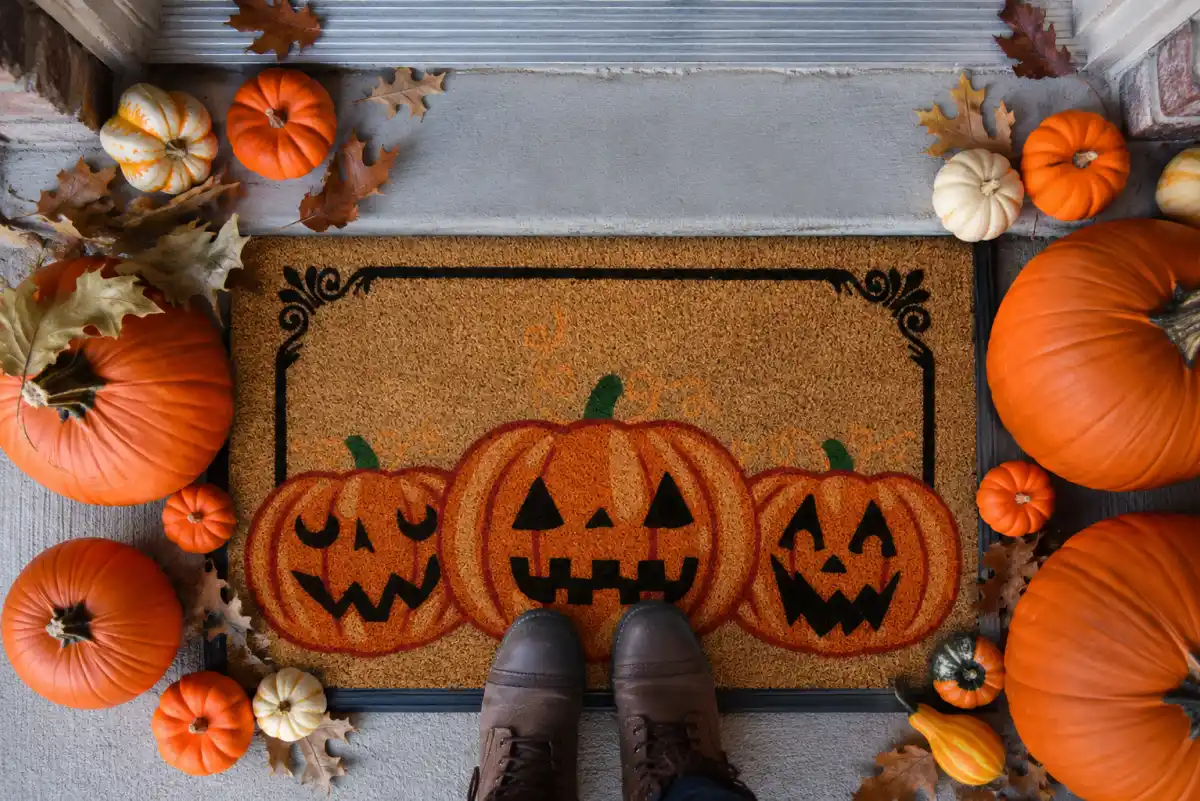 Custom doormats are an easy product to understand. A shopper can add their family name, pet name, or family members' names to a design featuring pumpkins, skeletons, ghosts, or a haunted house. Family-name and skeleton-family Halloween doormats are already being sold by established personalization retailers.
You can offer several product options and let buyers choose among a family design, a pet design, or a simple name-and-pumpkin layout. A matching door hanger or yard flag gives you an easy bundle.
2. Custom Family-Name House Flags and Yard Flags
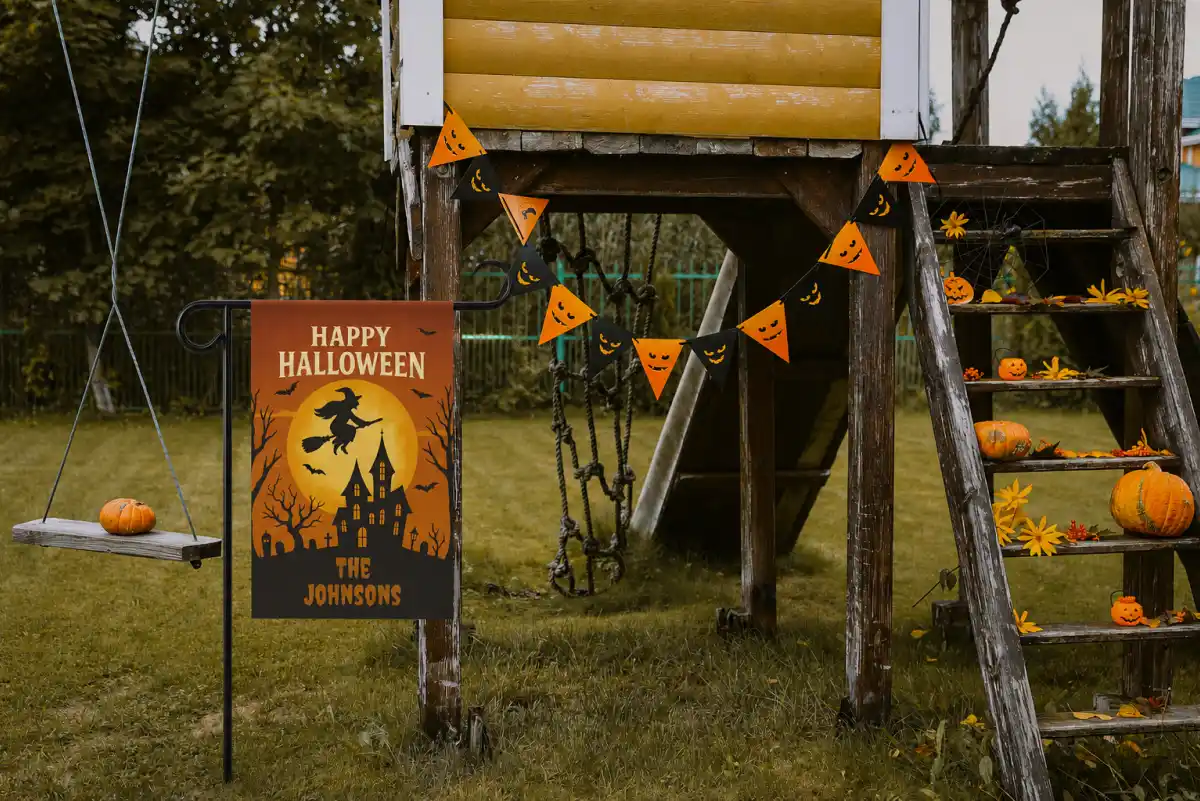
A yard flag is smaller, lighter, and less expensive than large outdoor décor. Customers can add a surname, a street name, or a short message, such as “The [NAME] Family Haunted House.”
Personalized Halloween garden flags are already part of seasonal gift collections, with options for multiple lines of text and double-sided printing.
You can sell designs with haunted houses, witches, candy corn families, friendly ghosts, or black cats. Keep the wording short so the name is easy to read from the street.
3. Personalized Halloween Suncatchers
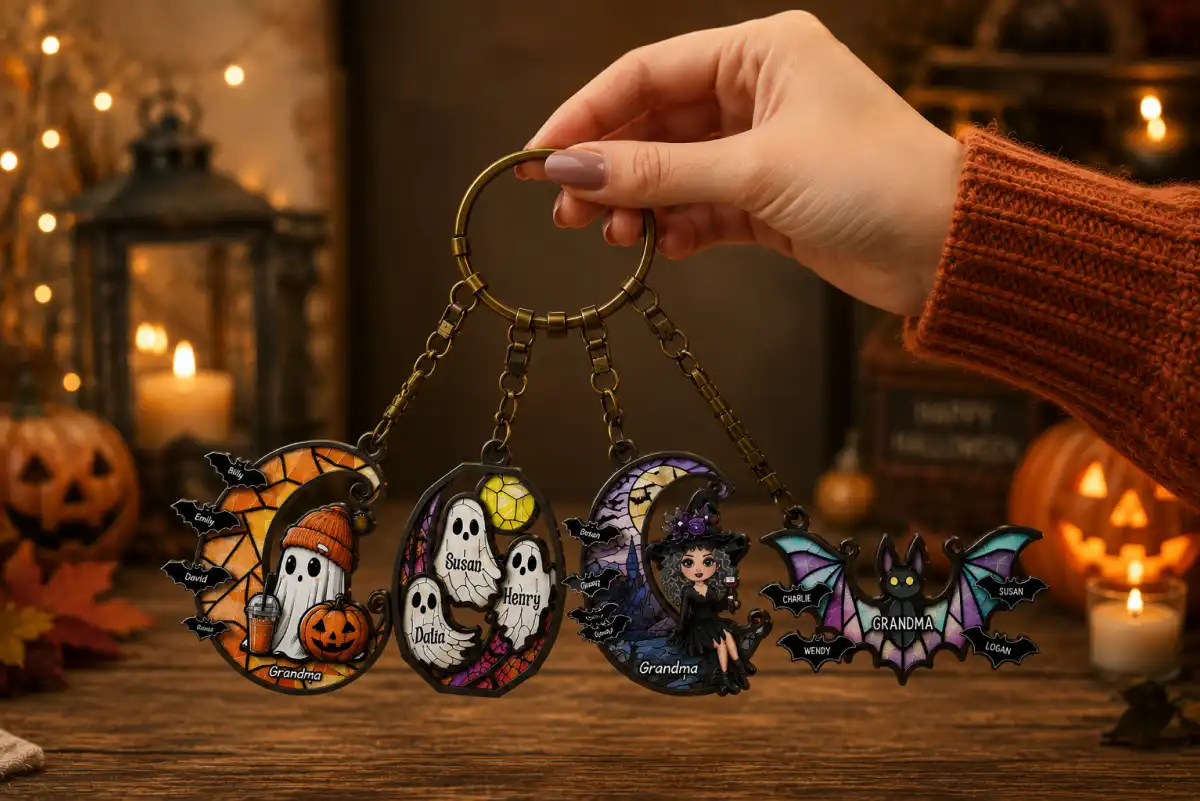 Suncatchers give shoppers a way to decorate a window, bedroom, apartment, or home office without having to buy large outdoor props. The design could include a name surrounded by bats, moons, pumpkins, or spiderwebs.
This fits the broader trend toward smaller, more personal décor. It also gives you a product for customers who like Halloween but prefer cute, decorative, or gothic styles over scary figures.
Sell round, moon-shaped, and arch-shaped versions. You can also offer a customizable pet silhouette, couple’s name suncatchers, or “Our First Halloween” design.
Custom Halloween Apparel
Apparel gives you a useful advantage: people often buy several pieces at once. A family may need matching shirts for parents, children, grandparents, and even the dog. Some of the most trendy custom Halloween apparel products are:
4. Matching Family and Group Halloween T-shirts
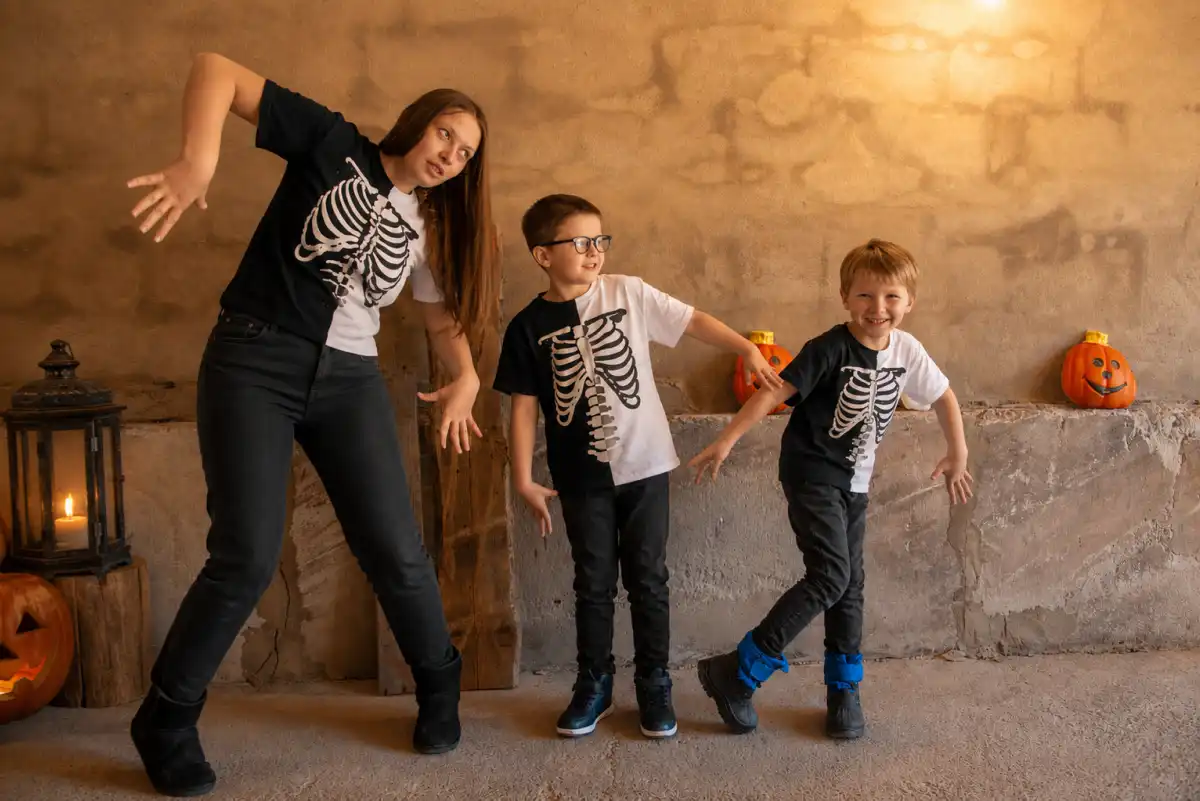
These shirts can use custom names, pumpkin faces, skeleton portraits, family roles, or a shared phrase. A simple example would be “The Witch,” “The Little Boo,” and “The Candy Collector” printed across one family’s shirts. Or the best way is letting your customers insert the phrases they like.
Printify’s Halloween apparel collection highlights custom pumpkin shirts, family shirts, long-sleeve designs, hoodies, and plus-size options.
You can sell the shirts individually or create family bundles. Offer different colors, sizes, and character choices while keeping the main artwork consistent. Or you can let customers have full freedom to design the T-shirt exactly how they like. Let them upload designs, pick any color, or customize multiple sides of the T-shirt.
5. Personalized Halloween Hoodies and Sweatshirts
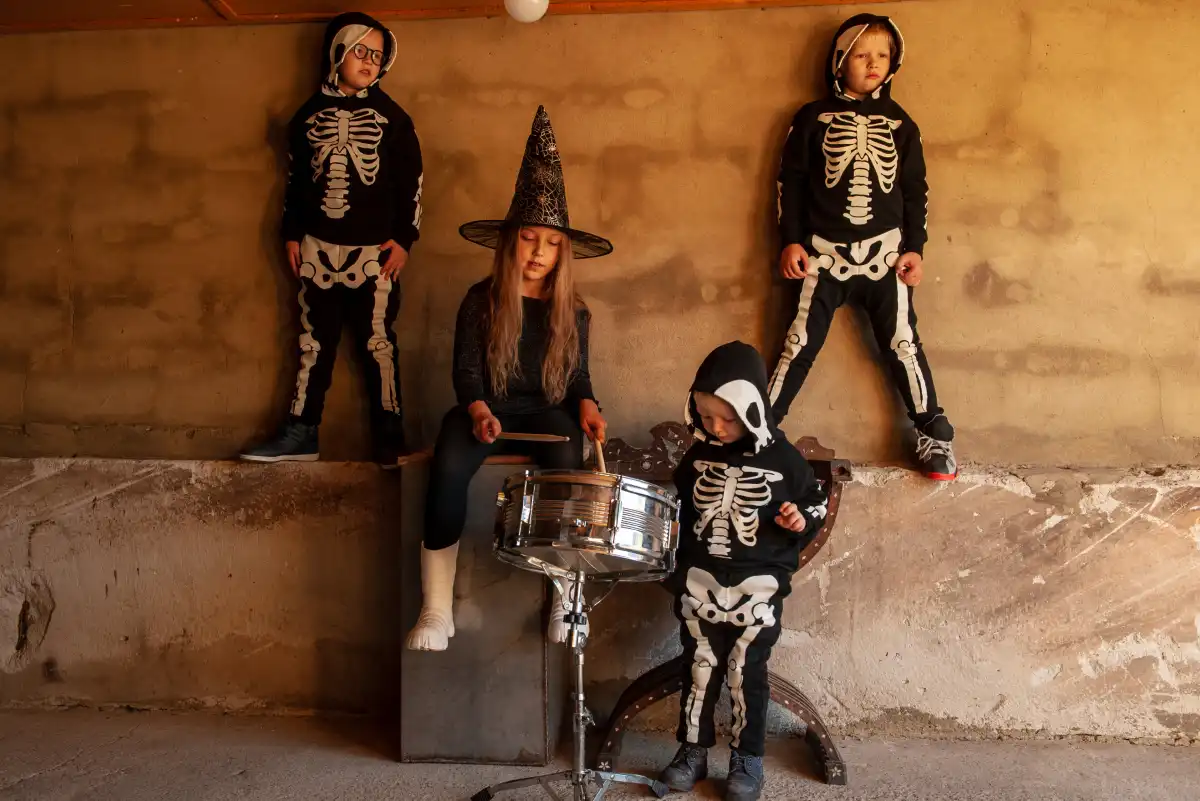 A hoodie or sweatshirt can feature a custom name, scary bat faces, a family photo turned into a spooky illustration, or an embroidered skeleton design.
These products make sense for October parties, school events, pumpkin-patch visits, and cooler nights. Custom hoodies, sweatshirts, mugs, totes, and blankets are trending on large personalized stores.
You can sell a basic name-and-icon sweatshirt at a lower price and a photo-based hoodie as a premium option. A matching family set or custom Halloween set can increase the value of the order.
6. Personalized Halloween Hats
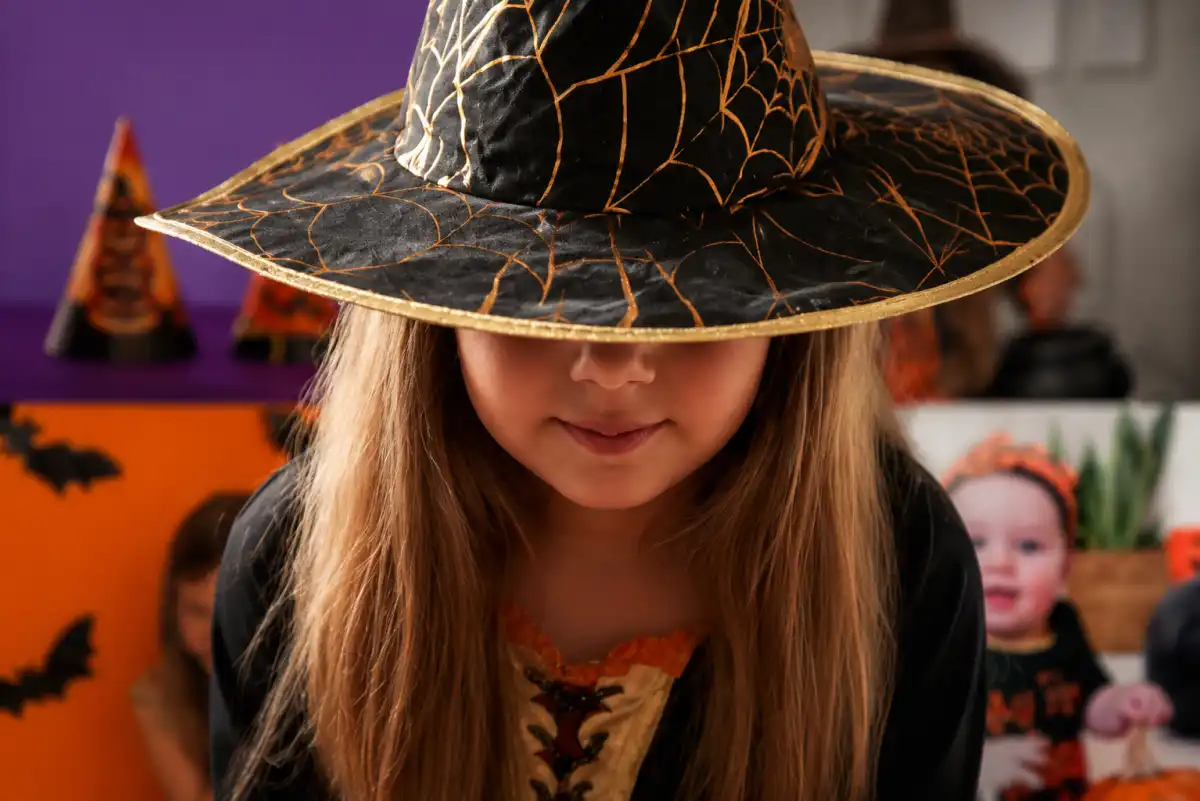 Not everyone wants a large Halloween graphic on a shirt. A cap, bucket hat, or beanie with a name, a small pumpkin, a ghost, or a “Spooky Season” message offers shoppers a quieter option.
Sell matching parent-and-child caps, family caps, or a cap that matches your T-shirt collection. Hats also work well as an add-on for customers who already bought family apparel.
Personalized Pet Halloween Products
Pets are a major part of Halloween shopping. $860 million in pet costume spending was projected for last year, while 23% of surveyed consumers said they planned to dress up their pets. The trend is no different this year.
7. Personalized Pet Halloween Costumes
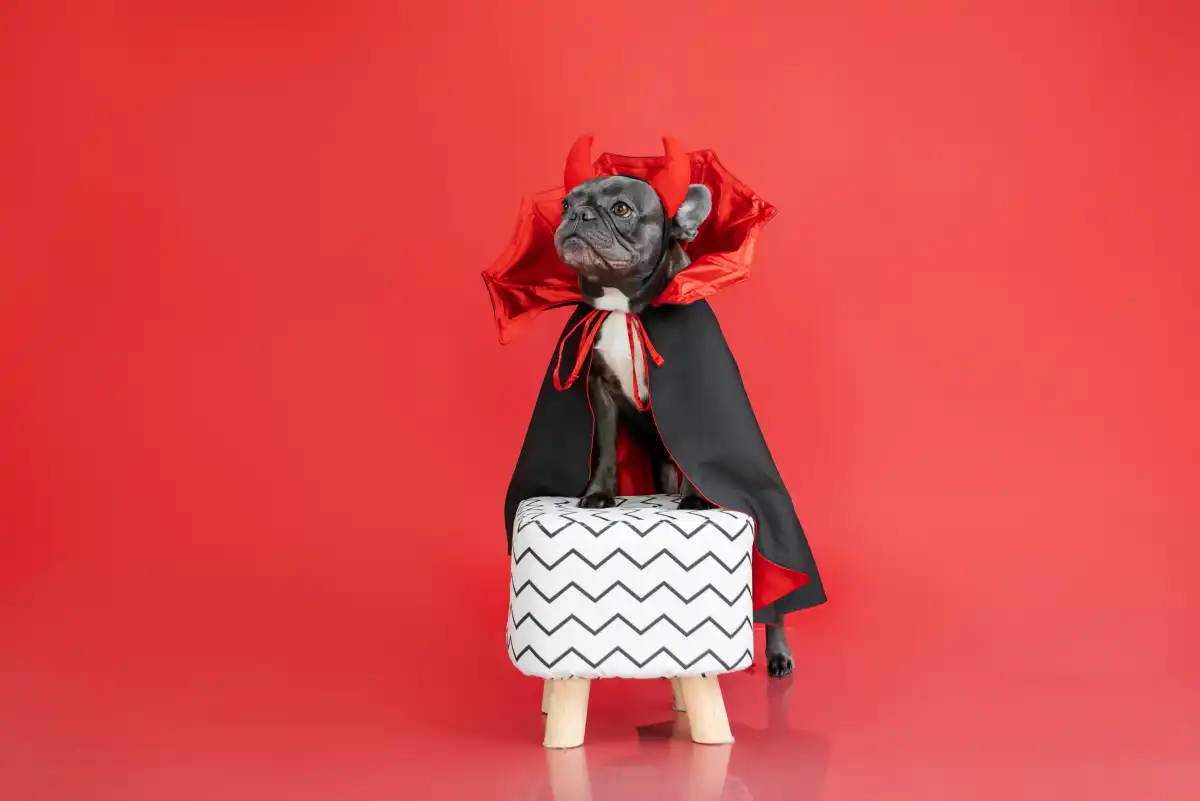 A pet costume can feature a pumpkin, ghost, witch, skeleton, superhero, pirate, or character-inspired design. The pet’s name can be added to a cape, shirt, harness panel, or costume tag.
Current searches for pet costumes show pumpkin ponchos, skeleton shirts, witch outfits, and lightweight ghost designs as popular styles.
Your version should focus on both comfort and appearance. Offer clear size instructions, adjustable details, and lightweight materials. Let shoppers add the pet’s name or choose a color that matches the owner’s costume.
8. Custom Pet-Name Bandanas and Collar Tags
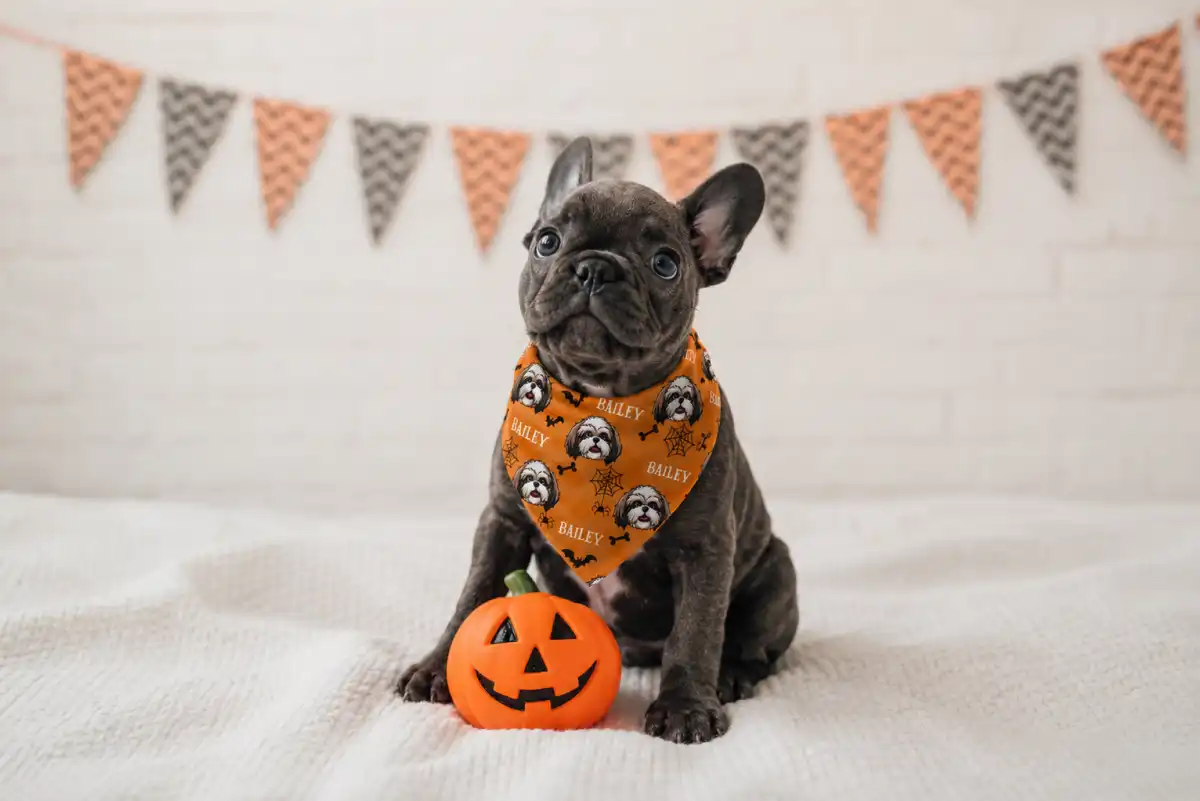 A bandana is a simpler option for pets that do not enjoy full costumes. Customers can add the pet’s name to a design with bats, pumpkins, skeleton animals, ghosts, or spiderwebs.
Personalized Halloween bandanas are already common across online marketplaces, with custom pet names and Halloween artwork used as the main selling point.
You can offer small, medium, and large sizes, plus matching collar tags. A name-and-phone-number tag gives the product a practical reason to buy, not just a decorative one.
9. Personalized Pet Portrait Apparel
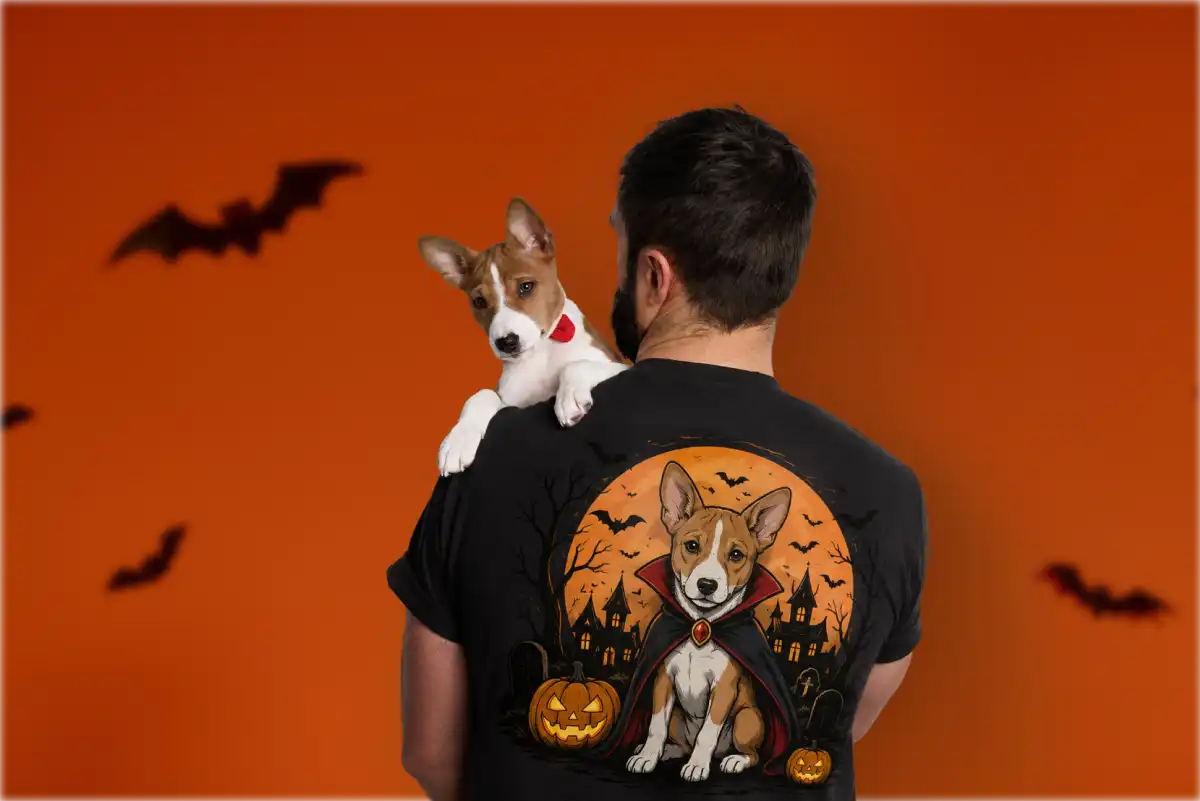 Customers can upload a photo of their dog or cat and choose a style such as cartoon, skeleton, vampire, pumpkin, or vintage Halloween poster.
Trends show that shoppers are responding to unusual, personality-driven Halloween ideas rather than only classic costumes.
You can let customers upload a pet image with custom filters and turn it into a canvas, poster, decor, or wall hanging. That makes this a strong collection rather than a single product.
Custom Halloween Gifts for Kids
Halloween products for children should be fun, useful, and easy for parents to personalize. Names, photos, ages, and family details work especially well here because they make ordinary products feel made for one child.
10. Custom Trick-or-Treat Tote With a Child’s Name
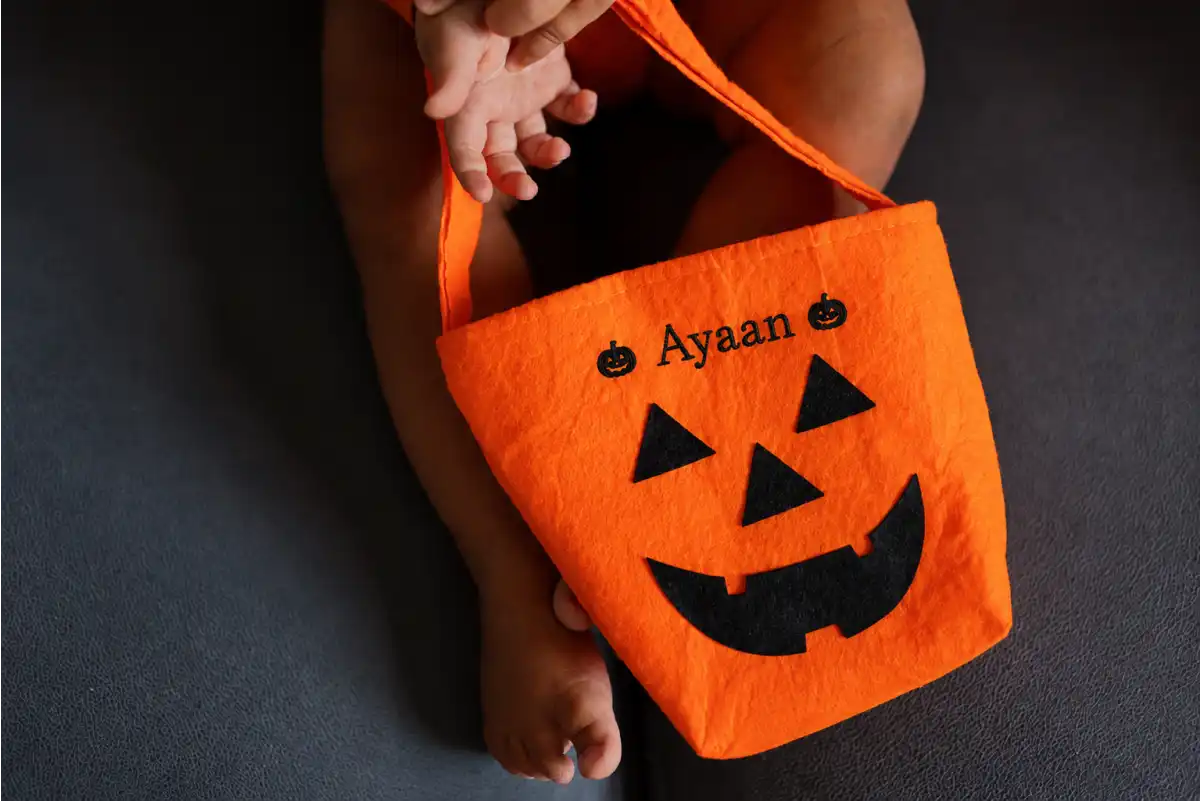 A personalized trick-or-treat tote gives every child a bag that is easy to recognize. You can use pumpkins, ghosts, witches, monsters, candy, or friendly cartoon designs, then add the child’s name in a large, readable style.
Tote bags are already common in print-on-demand catalogs because they are lightweight, practical, and easy to customize.
You can sell separate designs for toddlers, older children, siblings, and Halloween birthday parties. Offer different sizes and add an optional glow-in-the-dark name or reflective detail for evening trick-or-treating.
11. Personalized Photo Blanket
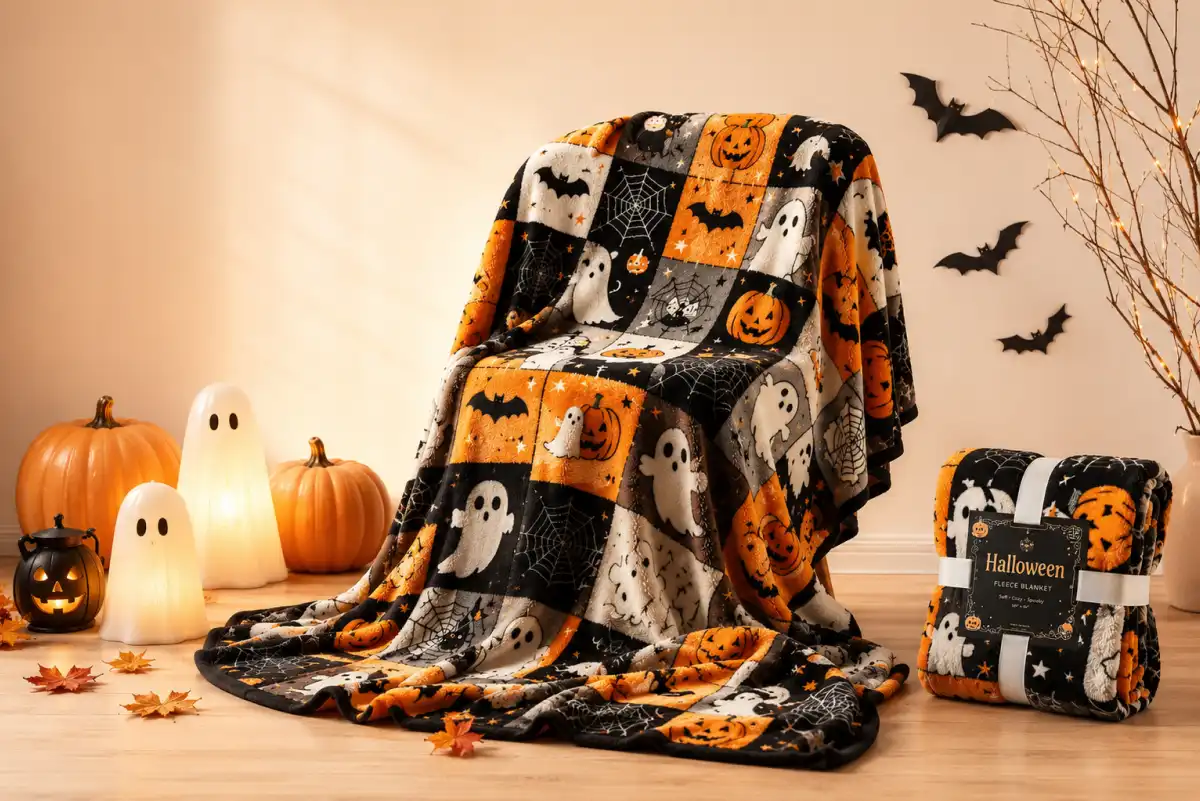
A Halloween photo blanket can combine family pictures, children’s costume photos, names, spooky illustrations, and a short message. It can be used for movie nights, sleepovers, family photos, or simply as seasonal décor.
Custom blankets are strong seasonal products because they are useful during cooler weather and carry a higher selling price than smaller gifts.
Keep the design process simple by offering a few fixed product options. Let shoppers upload the photos, choose the pre-made templates, and add a name or message.
12. Personalized Halloween Party Favors
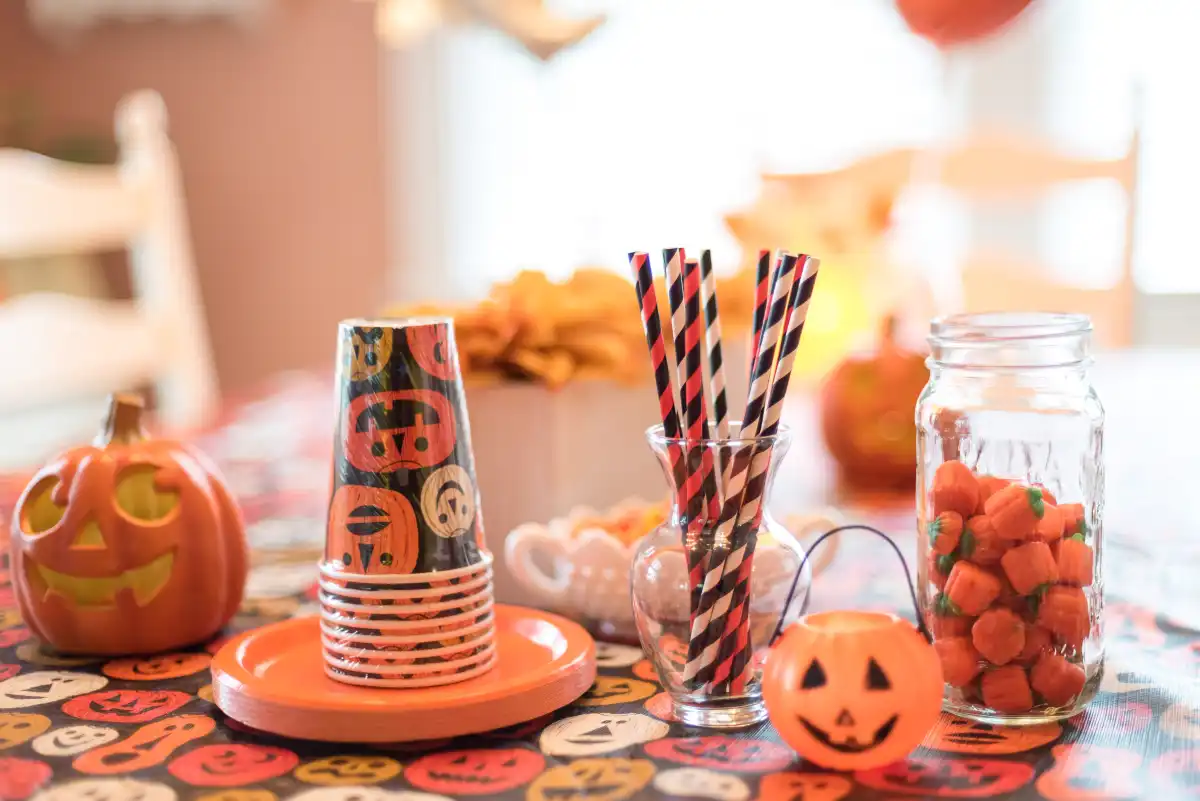 For Halloween birthday parties and school events, you can sell custom treat bags, stickers, mini cups, buttons, bookmarks, invitations, and name cards.
These products are especially useful for bulk orders. Parents can enter the child’s name, age, party date, or a short message and order matching pieces for every guest.
Use simple designs and clear quantity options, such as packs of 10, 20, or 30. This makes the product easier to order and gives you a straightforward bulk-selling opportunity.
How to Sell Personalized Halloween Products on Shopify?
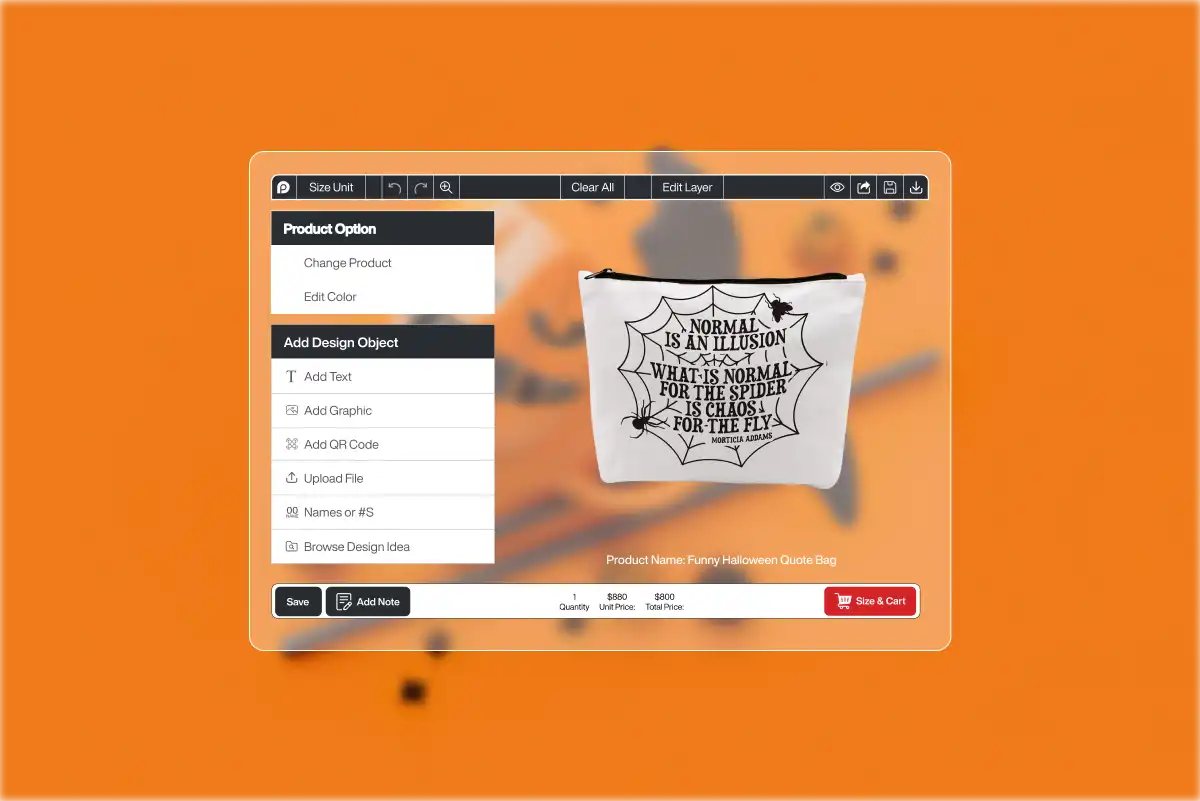 To sell personalized Halloween products on Shopify, you need a product personalizer that lets shoppers add names, upload photos, select artwork, change colors, and preview the finished design before ordering.
A standard product page may work when you are selling a fixed Halloween T-shirt in five sizes. But the setup becomes more complicated when a shopper wants to add three family names, upload a pet photo, choose a pumpkin graphic, print on both sides, and see how the result looks.
You could collect those details through separate text fields and upload boxes. The problem is that customers would still be ordering without seeing the final design. This is why you need a product personalizer like InkyBay that can handle that full process, including the customer-facing design experience, customization pricing, inventory tracking, and production-ready order files.
In this step-by-step guide, we will show you how you can start selling personalized Halloween products in minutes with InkyBay.
Step 1: Install InkyBay
Start by installing the app directly from your Shopify dashboard.
Log in to your Shopify admin > go to Apps. From there, click on Shopify App Store and search for “Inkybay – Product Personalizer.”
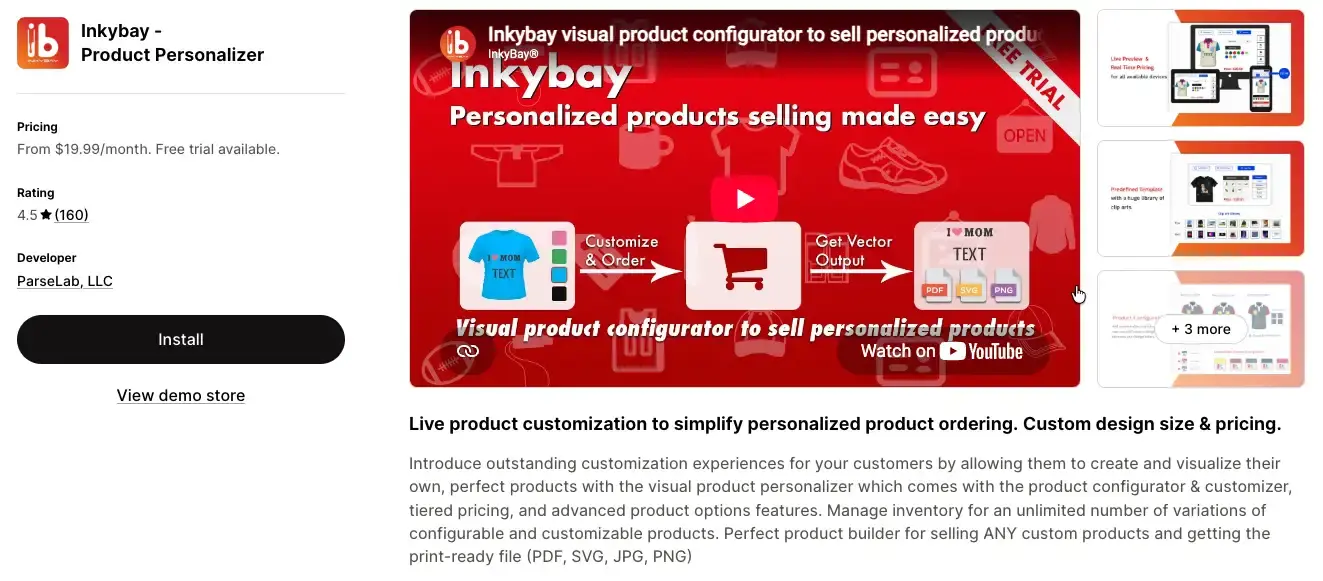 Once you find it, click Install, approve the required permissions, and choose a plan.
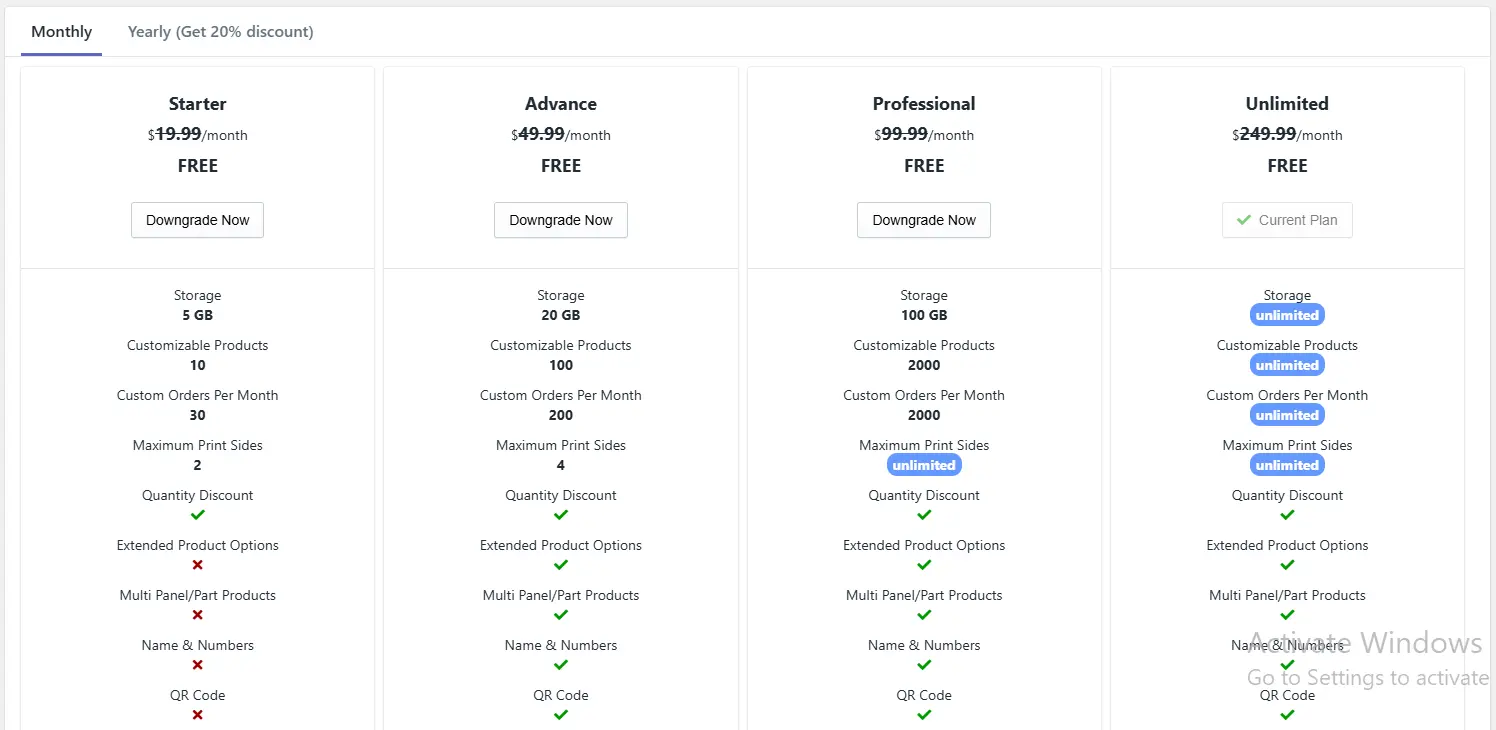 After installation, the app connects automatically with your store.
If you’re just starting, it’s a good idea to begin with a small setup. Instead of personalizing your entire Halloween catalog, focus on two or three products such as a custom T-shirt, a trick-or-treat tote, or a personalized doormat. This keeps things manageable while you learn the system.
Step 2: Add Your Halloween Products
Once inside InkyBay, you can either add a new product or personalize an existing Shopify product. After deciding which products you want to personalize, head over to the “products” section from the InkyBay dashboard. There you can click on the Customize It button and start the process.
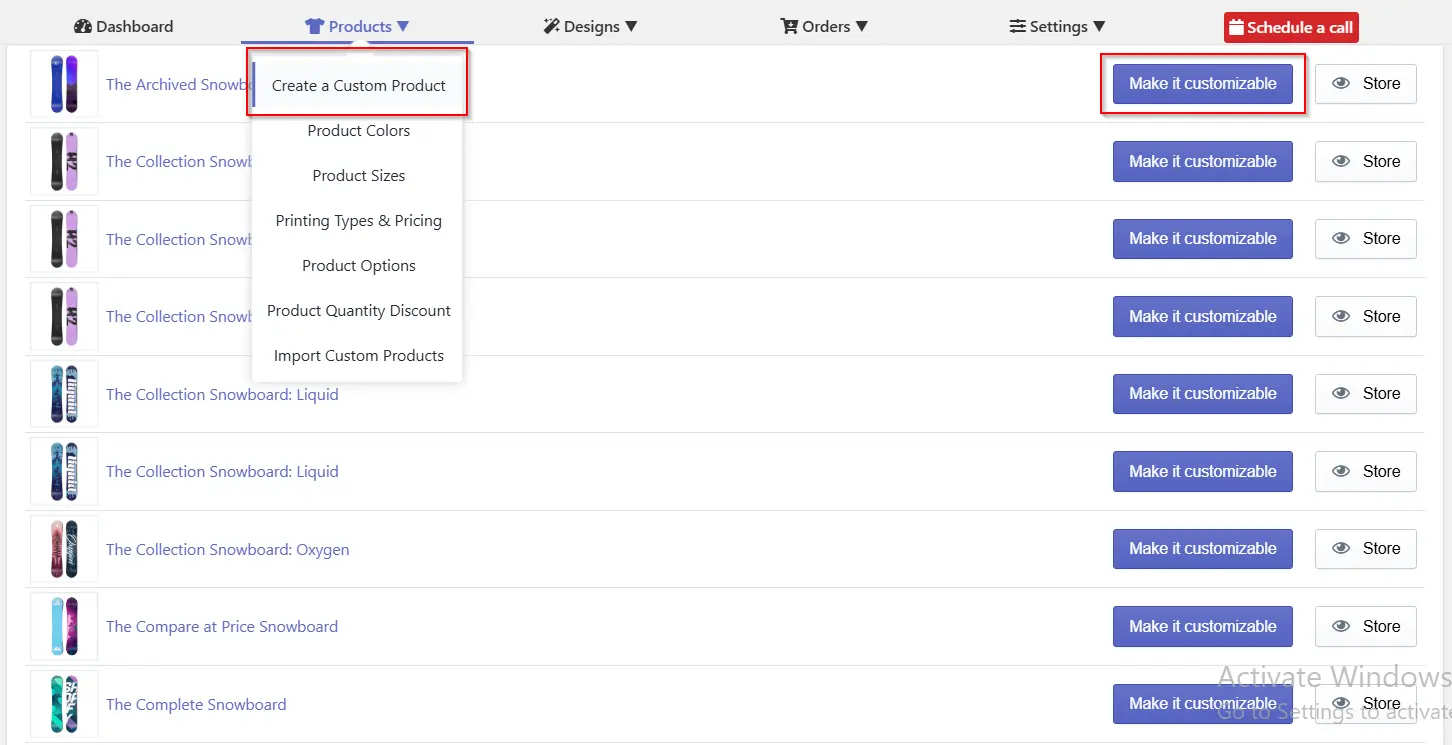 Start by clicking on the Customize It button. Then you can add the available product sizes and set prices for each size. Add the printing type you want to offer, set the colors, add a price per color, a price per size range, and restrictions. Also, you need to set the available product colors. Then upload product images and define which parts of the product can be customized.
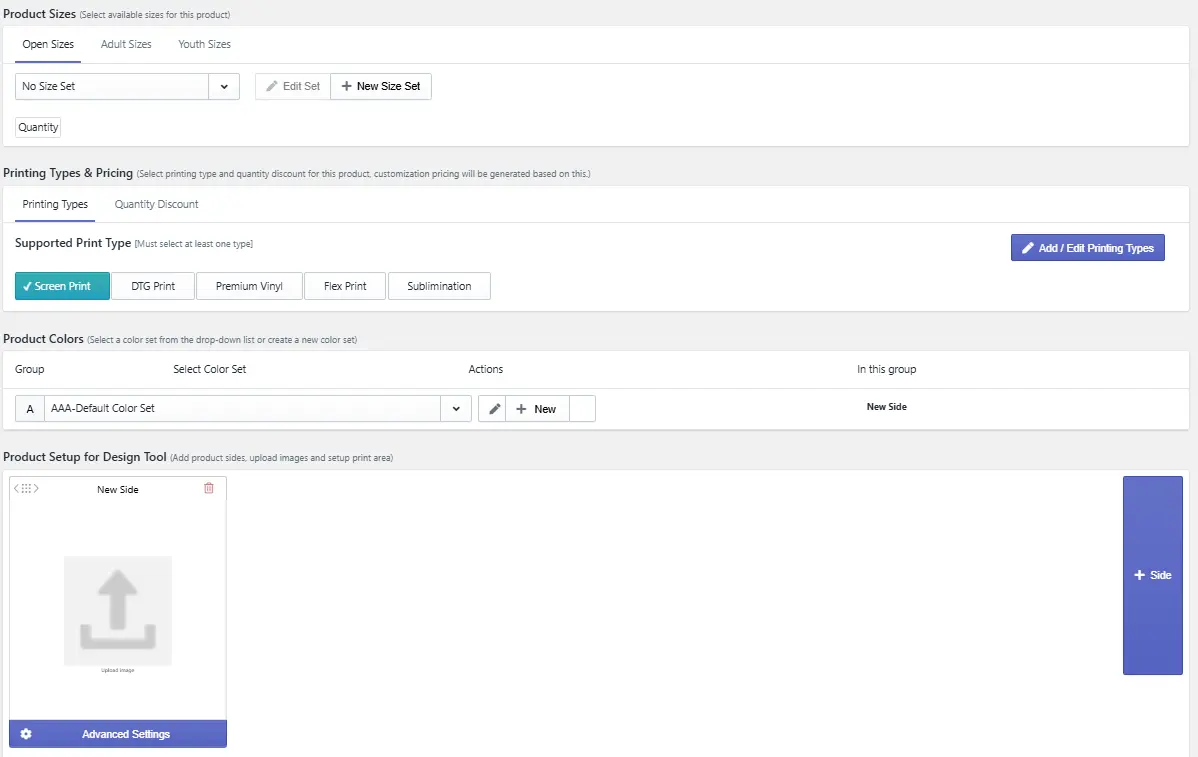 For example, if you’re setting up a Halloween sweatshirt, you might allow customization on the front, back, and sleeves. Each of these areas can be treated separately, and you can even charge extra for additional print locations.
This works for every Halloween item you want to sell, like tote bags, mugs, or decorations. The key is to clearly define where customization is allowed so customers don’t create designs that can’t be produced.
Step 3: Set Up Product Preview and Print Area
After adding the product, the next step is to define the print area. This is where customers will place their text, images, or artwork.
Inside Inkybay, upload a clean product image and then mark the printable area on top of it. When you upload a product image, a print area will automatically appear; you can edit the existing print area as you like.
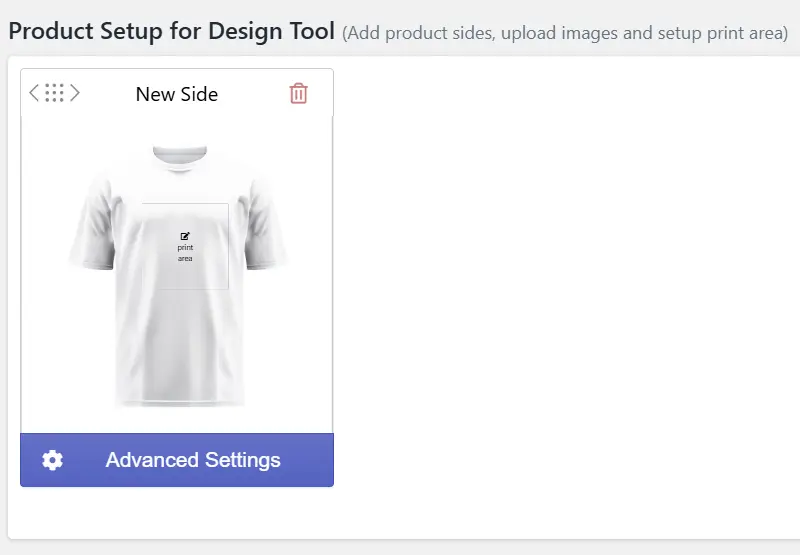
You can add pricing for the print area, add new sides, or change the position from the advanced settings.
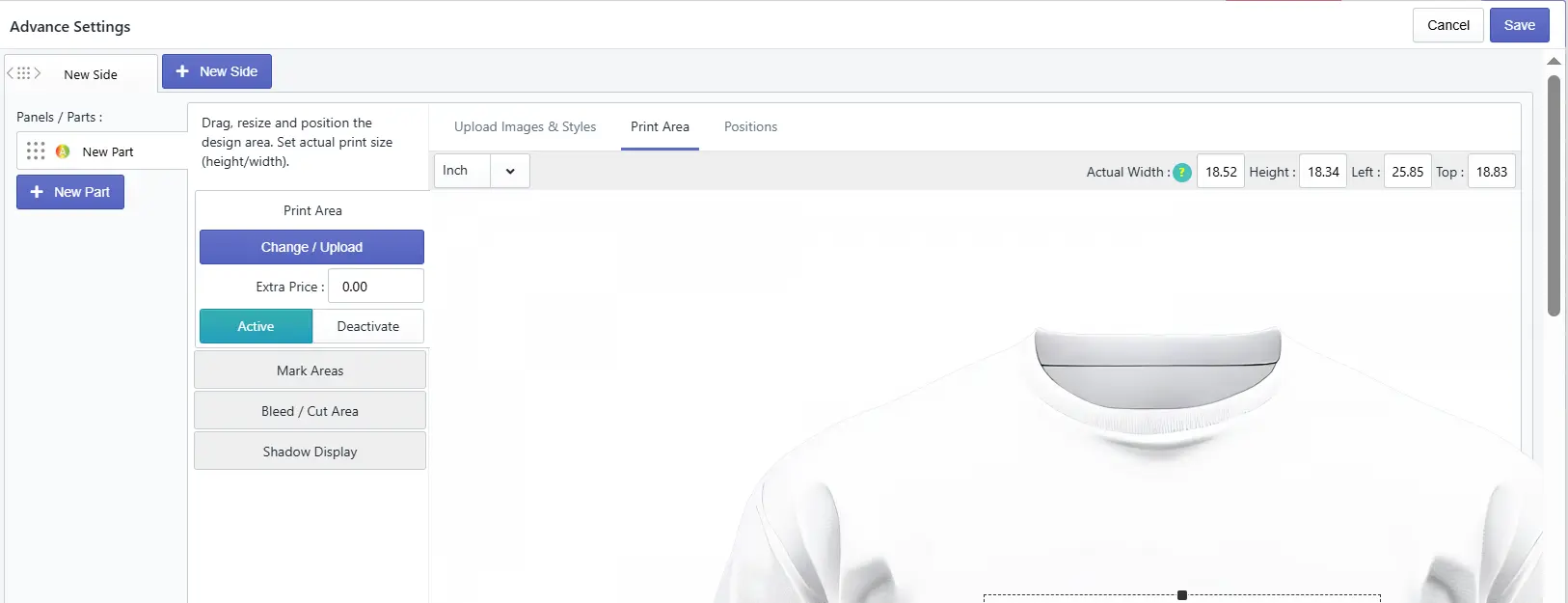
For a hoodie, this might be a rectangular section on the chest. For something like an ornament, you might use a custom-shaped area. Or you can add different parts of the product printable.
You can also upload different images for each product color or use a single image that adapts to color changes. Just make sure all images are aligned properly so the design area stays consistent.
With this step, you can prevent customers from placing designs outside printable zones or creating layouts that won’t work in production. It also helps them understand exactly how their final product will look.
Step 4: Build the Design Experience with Cliparts and Fonts
Now you can set up additional options to enhance the overall product designing experience. Inkybay’s design tool allows them to add text, upload images, choose clipart, and adjust colors directly on the product preview.
As the merchant, you decide what options are available. You can upload Halloween-themed fonts and graphics/cliparts, organize them into categories, and restrict what customers can use.
For example, when setting up a trick-or-treat tote, you might allow customers to choose a Halloween character, enter a name, a witch graphic, change colors, and optionally upload a photo. They can then move and resize elements while seeing the result in real time.
The goal here is to give customers enough freedom to personalize the product while still keeping designs clean and production-ready.
Step 5: Use Pre-made Templates
Not every customer wants to design from scratch. Many prefer to start with a ready-made design and just change a few details.
You can create templates with Inkybay and allow customers to edit specific parts such as names, colors, or images. For example, you might create a family Halloween shirt template where customers only need to replace the names and select sizes.
This approach speeds up the buying process and reduces confusion. It also ensures that the final designs maintain a consistent quality because the layout is already prepared by you.
Step 6: Manage Inventory and Bulk Orders
Since Halloween is time-sensitive, inventory management becomes critical. Inkybay allows you to track stock for each product variant, set limits to prevent overselling, and offer quantity discounts.
For example, if you have 20 hoodies in stock, you might stop selling when only a few are left to avoid fulfillment problems.
You can also set up bulk order options such as minimum quantities, discounts, or quote requests. This is useful for schools, events, or large family orders.
Step 7: Test the Full Experience
Before launching your products, go through the entire process as a customer. Start from the product page, customize the item, and place a test order.
Check that everything works as expected, including the design tool, pricing updates, and final preview. It’s also important to test on both desktop and mobile devices.
If possible, ask someone else to try it as well. A fresh perspective often reveals issues you might miss.
Step 8: Fulfill Orders
When orders start coming in, Inkybay provides all the details you need, including the final design and downloadable production files with a print-ready files feature.
You can download these files in formats like PDF, PNG, JPG, or SVG and use them for printing. If you work with a fulfillment partner, you can send the files directly to them.
Keep in mind that Inkybay is a customization tool, not a print-on-demand service. You are responsible for producing and delivering the final product.
Conclusion
The best way to sell custom Halloween products in 2026 is to launch early, focus on items shoppers can personalize easily, and use a product personalizer to manage names, photos, colors, pricing, previews, and production files.
Products such as custom doormats, family apparel, pet accessories, trick-or-treat bags, photo gifts, and party favors give Shopify merchants room to charge more and build bundles around different Halloween buyers. With Inkybay, you can create that customization experience without handling every order manually.
Start with a few strong products, test the full ordering process, and publish your Halloween collection before seasonal demand begins to peak.
Frequently Asked Questions About Custom Halloween Products
What are the best-selling Halloween products for 2026?
The best-selling Halloween products for 2026 are expected to include personalized décor, family apparel, pet costumes, trick-or-treat bags, drinkware, and photo gifts. Decorations and costumes were the largest Halloween spending categories in 2025, while pet costume spending reached $860 million, giving merchants several proven product directions to test.
When should I launch Halloween products for my Shopify store?
Launch your Halloween products between July and early September, then promote them more heavily as October approaches. Personalized items need extra time for design, production, and shipping, so set a clear order cutoff before October 31. In 2025, 49% of Halloween shoppers began buying in September or earlier.
What printing method is best for Halloween apparel?
DTG is usually best for detailed, full-color Halloween designs on cotton-rich shirts and small personalized orders. DTF is more flexible across fabric types and works well on dark garments. Use screen printing for larger runs with fewer colors, sublimation for polyester, and embroidery for small names, icons, or monograms.
Are personalized Halloween products profitable?
Yes, personalized Halloween products can be profitable when customization charges cover the extra design, production, and support work. Names, photos, additional print areas, premium templates, and family bundles give merchants several ways to raise order value. Made-to-order production can also reduce the need to stock many finished seasonal designs.
Which Shopify apps help sell personalized Halloween products?
Shopify apps such as Inkybay, Customily, Zepto Product Personalizer, and Globo Product Options can support personalized products. For a Halloween store needing live previews, photo uploads, editable templates, dynamic pricing, multiple print areas, inventory tools, and production-ready files, Inkybay is the best fit for the workflow described in this guide.


