

Key Takeaways
- The best product personalizer is easy to use, provides a real-time live preview, and supports complex customization without friction.
- Each product personalization app has its own standout features and is suited to different types of merchants.
- InkyBay works best for all-around customization needs, Customily excels for print-on-demand businesses, and Customify is ideal for small brands.
As I typed ‘Best Shopify Product Personalizer App in 2026’ in my search bar, tons of results and app suggestions flooded my tabs.
I went through every bit and piece of these apps and realized I have spent crucial hours finding the perfect one. Hours I could have spent on my customers’ issues and not lose another order, only if I had a perfect guide to point me to the best Shopify Product personalizer. So, I didn’t waste a bit of time and made this guide for you all to save you from hours of browsing. Here you will find all the Shopify apps that have incredible product personalization features. After careful consideration of all the aspects, such as price, flexibility, usability, support, and features, I have picked them. Take a look at the details or just go through the short checklist to find the best one for your business.
What to Look for in a Shopify Product Personalizer App?
Finding the best app is not just about finding one with tons of features; it’s about finding the one that suits your business, is flexible enough to scale with your business, has strong customer support, and is not so expensive that stains your budget. Here’s what you must look for in the best Shopify product personalizer:
- Type of Personalization you need. Start with your products, not the app. To find the best Shopify app for your business, you need to ask what exactly you want to customize. Every app on the market offers some form of personalization or customization, but not all of them are great for your specific needs. Suppose you want a personalizer for your small business. You should not go for apps with extensive customization. It would overwhelm your business and would be too much to comprehend. Even the best apps cannot do a good job if you do not know your exact needs. So, be sure of your business needs first. Don’t look at apps first. Ask yourself: “What do my customers need to change on my products?” Some apps have every feature, while others are simple. If you run a small store, a huge, feature-rich app will confuse you and maybe your customers, too. So know what you need before you choose.
- Live preview quality and clarity. In personalized product businesses, live preview is crucial and must be considered before choosing any app. As customers design their vision, they hesitate to place an order; only a clear, accurate live preview can reduce this hesitation and promote conversion. Before you choose any Shopify app for your personalized app business, check whether it has a clear live preview, whether the preview is fast and accurate, and whether it updates both prices and elements in real time. When customers design a product, they need to see exactly what they’re getting before they buy. A customization app with a good live preview removes doubt and makes them more likely to purchase. Before choosing an app, test its preview; it should be fast, accurate, and update the price in real-time as changes are made.
- Ease of Use for your customers. Any powerful product customizer would be useless if your customers cannot use it easily. Your customers want product customization to be fun, not a battle of learning a new app. You must choose an app that offers upfront customization options, easy-to-use features, and a fully functional design lab experience.
- Compatibility with your tech stack. When running a Shopify store, you will use several apps to simplify your Product personalization store. While choosing the best product personalizer ensure it is compatible with your tech stack. Make sure your current theme is compatible and that you do not encounter any issues when integrating the app. Fewer conflicts and smoother daily operations are much needed to find the best-suited app for your business.
Top 7 Best Shopify Product Personalizer Apps in 2026
Every app is the best of its own kind. Since everyone has different requirements, we have compiled a list of the best options for all your needs. Likewise, if you want something good overall, go for InkyBay. Looking for something that fits a POD business? Go for Customily. Just like that, we have more categories. Let’s see the breakdown:
1. Inkybay Product Personalizer
Best For
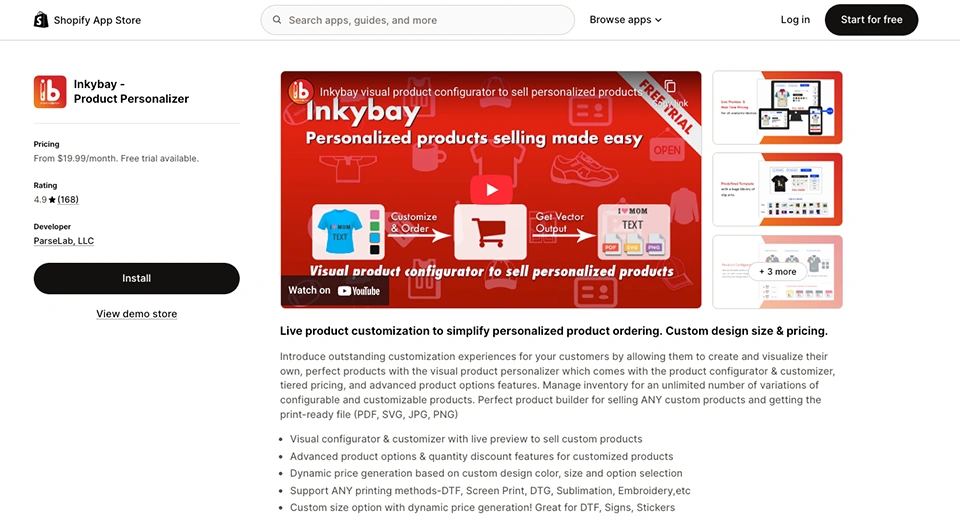
Overall personalization for custom products and print shops, from simple customization to complex personalization.
Overview
InkyBay Product Personalizer is a comprehensive app that is packed with features. It lets your customers have an intuitive design experience. It is great for stores that sell highly customizable products (apparel, multi-part products, or decor items). This app has features like unlimited product options, multi-part customization, dynamic pricing, and a multiple-print-type selector.
Their design lab turns your store into a customization hub where customers can see their products in real-time. As your customers add different elements, such as text, images, graphics, or print types, the prices change immediately, which is super helpful. I have found it to be smooth and easy to navigate. The compact feature set makes it the top choice. Also, you will be able to manage a large catalog, so scaling your business with InkyBay is not an issue.
Pros
- Real-time preview with updated prices.
- Unlimited product options for your products.
- Dynamic pricing that can be changed based on color, size, elements, and more.
- Complex product customization, where customers can personalize every part.
- Print-ready files that come in JPG, PNG, SVG, and PDF formats.
- Supports a wide range of customizable products.
- Custom print area available, and you can upload any shape you want.
- They offer a 21-day free trial, so you can try it before investing.
- Incredible support team, that is proactive and helpful.
Cons
- Advanced functionalities that need some time to understand. But their help doc and support team are here to help you.
- For a small business, InkyBay might feel a little overwhelming because it has many features.
Pricing
InkyBay product personalizer pricing starts at $19/month for a Starter pack. Scaling up to Advance ($49.99/month), Professional ($99.99/month), and Unlimited ($249.99/month). You can get it at a lower price by availing their yearly packages. Also, you can get a 21-day free trial to really test it out.
2. Customily
Best For:
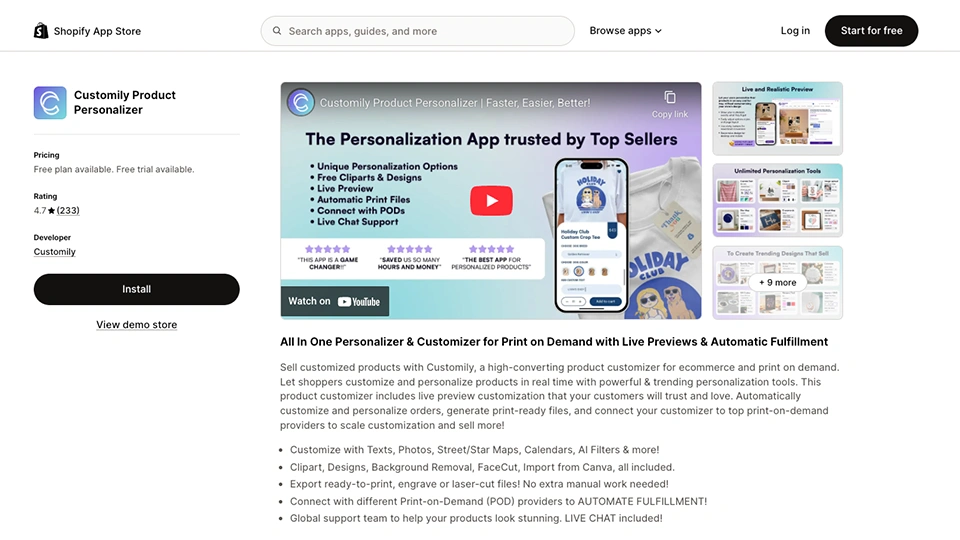
Print-on-demand brands that need automated POD integration.
Overview
Customily is a product personalizer that has many advanced features. This app is especially helpful for POD-focused businesses. Their strong integration with the POD fulfillment platform is something that you will love. With Customily, you can create design and option sets that customers can customize as per their choices. Customers can add text, images, and effects to the product and make it truly their own. Their advanced features, like AI-powered edits, backgrounds, and collaboration-friendly tools for managing templates, are truly wonderful to have. Customily is great if you are looking for a product personalizer for your POD business.
Pros
- Adds a live preview option to your storefront so customers can see what they are designing.
- Integrates with leading POD businesses for automating your POD business.
- Includes canva import and AI effects to speed up design flow.
- Designed to help POD businesses scale their business.
Cons
- Transaction prices can increase as order volume increases.
- Most features, such as templates, are focused on POD businesses, so it’s better to avoid it when your focus is on general product customization.
- Tend to be complex to configure.
Pricing
Customily offers a free package for development stores, allowing owners to test it with very limited features. They have only one other plan: $49/month (+$0.10-$1 per personalized item sold).
3. Kickflip
Best For:
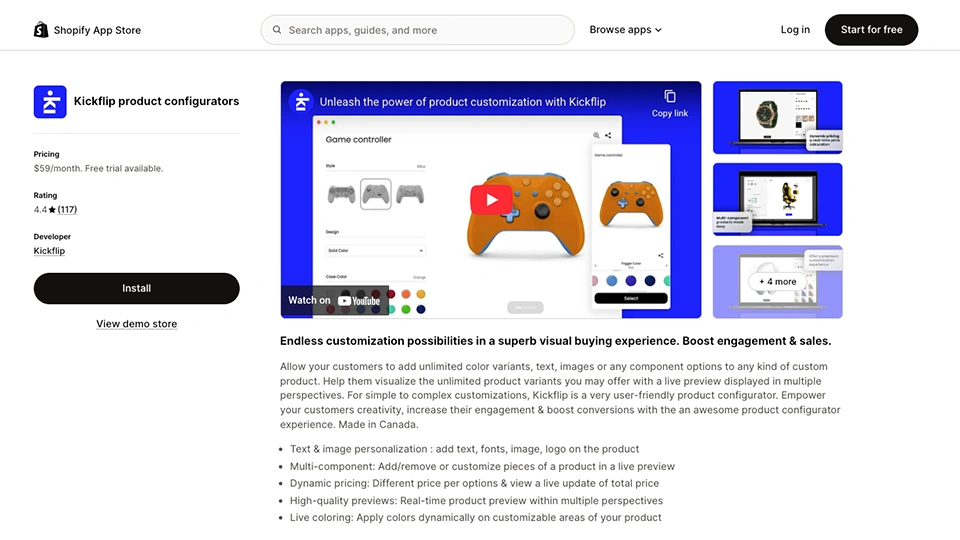
Fashion, Footwear, and gear brands selling complex configurable products.
Overview
Klickflip is a gem for a premium visual experience. Selling complex products is easy with this app, as you can let customers change different parts and materials and add text or images to the products. You can also build forms and rules in a no-code editor and embed the configurator on Shopify product pages. However, it’s more specialized in the visual aspect and not a good fit for simple, lightweight personalization. Customers often feel overwhelmed when they come to your store for a simple mug customization.
Pros
- Integrates smoothly with Shopify and other apps to give you a smooth experience.
- Has a complex product customization option, and you can handle them pretty well here.
- Has responsive templates and is designed to be visually appealing to customers.
- The no-code builder helps you to design configuration flows and layouts without much trouble.
Cons
- There’s a percentage fee on every custom sale. It increases the overall cost in the long run.
- Customizing the setup of complex products takes quite some time.
- If you need basic personalization and non-visual extra fields, this app would be too much to handle.
Pricing
It only has one package at $59/month (+1.95%-0% per custom product per sale).
4. Teeinblue
Best For:
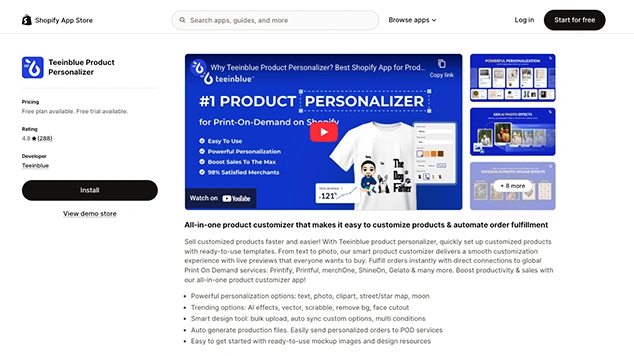
Shopify POD gift stores running based on personalized templates.
Overview:
Teeinblue focuses on real-time personalization for gift items such as ornaments, posters, and apparel. Customers can add text, photos, and options and see the design in the live preview. They also provide print-ready files to help streamline your workflow. With the ready-made designs and mockups, you can personalize items and campaigns faster. This feature makes your store attractive to customers, especially those looking for POD gift items. However, if you are not in this field, there are better options in this list. Also, it is difficult to handle pricing logic with this, too.
Pros
- Real-time personalization and live preview are available to improve the POD workflow.
- It can create a strong bridge between Shopify and POD platforms, reducing manual labour.
- It offers reliable, consistent performance and an intuitive interface for daily use.
- The support team is quite impressive and is available almost all the time to help you.
Cons
- Less focus on general product customization and more on POD-style product personalizer.
- Has a high learning curve, and setting up advanced features takes time.
- Some users find the interface too difficult to grasp initially.
Pricing
They have two pricing plans. Their pricing starts at $45/month with the growth plan, and you can get their premium plan for $159/month.
5. Easify Custom Product Options
Best For:
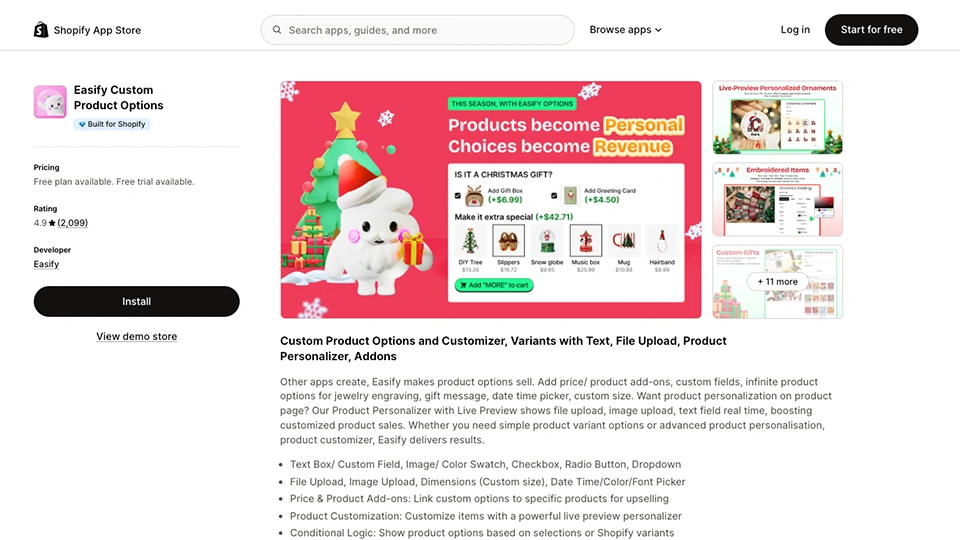
Stores in need of flexible product options with light personalization.
Overview:
Easify custom product options is an option-first personalization app that enriches Shopify with extra fields, conditional logic, and light personalization. This app supports 20+ option types such as text box, dropdowns, checkboxes, swatches, file uploads, and more. They offer a built-in product personalizer with live preview, so customers can see how the options look in real time. Easify is great for the stores that need advanced product options more than anything else. With this app, you can let customers quickly design something unique without making things too complicated.
Pros
- Wide variety of option types and templates for different categories of products.
- Live preview for basic personalization on the product page.
- Free plan available with basic features.
- Reduces Shopify product option limitations by expanding the category.
Cons
- Focuses mostly on the product option; it is not a multi-purpose app.
- Has a complex setup with many conditional rules and can be difficult for beginners to understand.
- Users report that this app conflicts with some themes; it’s better to test it out before using it.
Pricing
A free forever plan is available; the pro plan starts at $9.99/month, and the premium plan is $19.99/month. A 14-day trial is available for the pain plans.
6. Customify
Best For:
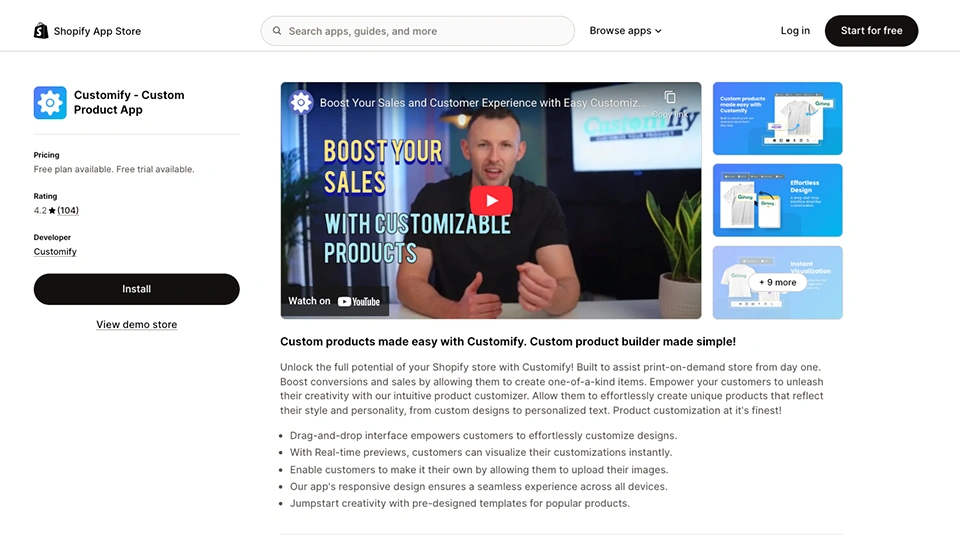
Small merch brands offering ‘design your own’ products with uploaded artworks.
Overview:
Customify is a straightforward design-your-own-product app that lets your customers customize products directly on the product page. Here, they can add images and text and adjust elements using the drag-and-drop interface. The real-time preview helps customers to see exactly what they are designing. This app is best for store owners who want to offer custom products in a small-to-medium-sized catalog, such as t-shirts, mugs, and phone cases, without deep POD automation.
Pros:
- Drag-and-drop interface with real-time preview for a simple design workflow.
- Supports image upload and text for customizable items.
- There’s a free plan that small businesses can use to offer personalization on limited products.
- Integrates with the latest Shopify themes, and you can do that directly from the admin panel.
Cons:
- The lower-priced plans have limited custom products and storage, which may restrict your ability to scale your business.
- It may not suit complex or multi-sided product personalization.
- Very little focused on POD integration and automation.
Pricing:
There’s a free plan that lets you add 3 custom products. The paid plans include: The Lite Plan ($10/month), The Basic Plan ($15/month), and The Professional Plan ($30/month).
7. Globo Product Options, Variant
Best for:
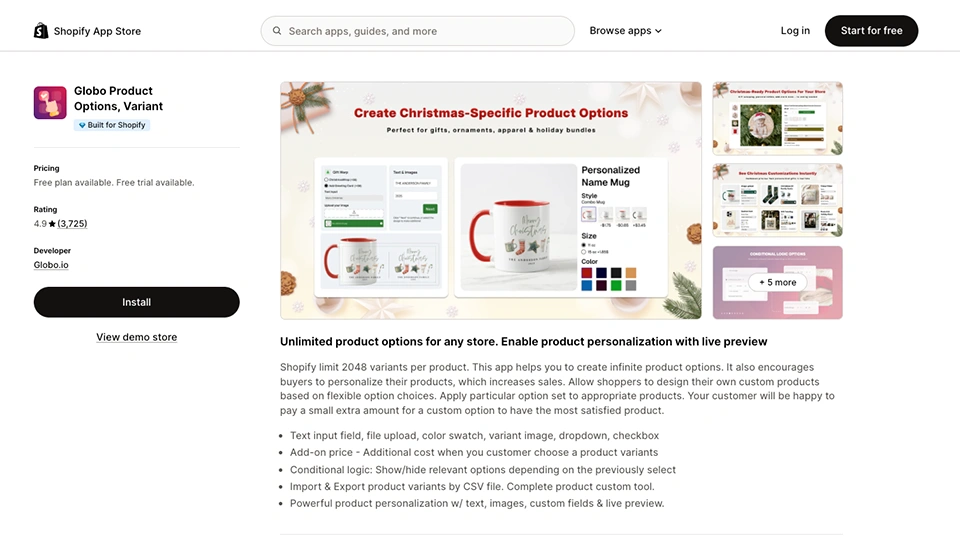
Stores that mainly focus on extra product options instead of visual designs.
Overview:
Globo product options help you get beyond Shopify’s product option limitations. With this app, you can create unlimited product options for your products. It offers various fields for text input, drop-down swatches, file uploads, date/time fields, and many other logical options. You can avail of a live preview option on their higher-priced plans. If you are looking for a perfect fit that would help you break free from Shopify’s 100-variant limit, this app is definitely the one to take a look at.
Pros
- Unlimited product options that help you with Shopify’s 100 variant limit.
- There are many input types that your customers can use to customize their desired product.
- This app supports add-on pricing, conditional logic, and in-cart options in the higher tiers.
- There’s a huge user base and community to help you in every aspect.
Cons
- Live preview and advanced features are available on a higher-priced tier.
- Focuses solely on options; customization is not its strength.
- Complex option sets can be difficult to manage without a careful structure.
Pricing:
There is a free plan you can use to test. There are two other paid plans: The Premium Plan ($12.90/ month) and the Advanced ($24.90/ month).
How to Choose the Right Product Personalizer for Your Shopify Store?
- Make a list of the products you want to customize. All the apps I have listed have different levels of customization, so you need to understand your products and list down the ones you want to customize. By making a list of the products and the type of customization you want for each, you will be able to choose the one best suited to your store.
- Understand your customer type. To ensure you are getting the app that actually helps and satisfies your customers, understand their type and needs. All the apps listed are quite easy to use; however, some offer more advanced visual capabilities than others. To ensure you get the one best suited for your business and your customers.
- Create a budget before getting the product customizer. Although the product customizer is the heart of the customization business, you need to give deep consideration to your budget. Prepare a plan on how much you want to spend on such an app. Later, you can choose something that matches your budget.
- The integration ability of the apps is also something you need to consider earlier. See if the chosen app aligns with your existing tech stack or not. Almost all the apps have a free trial period, and you can utilize that time to really understand how it works with your ecosystem.
Conclusion
The Shopify App Store is filled with product personalizer apps, but the reality is, you cannot just choose any of them. For a customized product business, a product personalizer app becomes the heart of it, and you need to be very careful about which one you choose.
As I have gone through a similar process of choosing the best product personalizer for my store, I completely understand the pain you might be feeling. This is why I have considered all the aspects of these apps with an expert team to make a list of the best ones. All of them have different key features that sets them apart. However, one is more comprehensive. But it is completely up to your needs and intentions which one you choose.
FAq’s: Best product customization apps for shopify
What is a Shopify product personalizer app?
A Shopify product personalizer app is what lets customers customize product details (like text, colors, images, and monograms) before adding to the cart.
Why should I use a product personalizer app for my Shopify store?
Product personalizer apps can increase conversions and average order value by letting your customers create unique products that fit their preferences.
How much do Shopify product personalizer apps cost?
The cost of a product personalizer may vary. Many charge a monthly subscription of roughly between $10–$50+ per month, with some offering a free trial.
Which types of products work best with personalization apps?
Products like apparel, jewelry, gifts, accessories, mugs, phone cases, signage, and engravable items work best.
Can I use multiple personalization apps on the same Shopify store?
Yes, but it may cause theme or cart conflicts, so use it cautiously and test thoroughly.
Do Shopify product personalizer apps support mobile devices?
Yes, most apps are mobile‑responsive, so customers can personalize on phones and tablets.