

Last Updated on December 4, 2025
Key Takeaways
- The best product customization apps for your new store depend on your needs and product offerings.
- To find the best-suited app, start with the free trials of these apps. InkyBay offers the longest free trial at 21 days.
- Understand your product needs, determine what suits your tech stack, and consider your budget to choose the best-suited app.
Ever opened the Shopify App Store, searched for “product customizer,” and suddenly felt like every app is screaming to be the best? If you’re setting up a new store, that moment hits hard, too many options, too little clarity, and zero room for mistakes.
Product customization isn’t just another feature. It’s the core that powers your entire store experience, and picking the wrong app can cost you time, money, and early customers. From setup complexity and hidden costs to technical skills you may not even have yet, there’s a lot to figure out before you click “install.”
That’s why we analyzed everyone and prepared a comprehensive guide for your new Shopify store. We’ve broken down the best product customization apps so that you can just skip the stress, avoid trial-and-error, and choose what fits your budget, skill level, and goals. Whether you want something simple to start with or a powerful tool you can grow into, you’ll find it here.
Let’s jump in and see which apps truly deserve a place in your new store.
Table of Contents
Best Product Customization Apps for New Stores: At a Glance
| App | Best For (When You’re Starting) | Live Preview | Type of Customization | POD / Print Workflow | Starter Pricing* | Free Plan / Trial | Complexity (for beginners) |
|---|---|---|---|---|---|---|---|
| InkyBay | Mixed catalog (tees, mugs, stickers, signage) with flexible options, with a dedicated Design Lab | Yes | Text, image upload, color/size options, multi-part products, dynamic pricing | Supports various print methods & workflows; good for print shops and custom product stores | From around low–mid tier monthly (multiple plans) | 21-day Free trial available via Shopify App Store | Lots of power, some learning curve if you use advanced rules |
| SB Custom Product Personalizer | Low-budget stores that want a “design studio” feel with unlimited customization | Yes | Text, image uploads, clipart, templates, layers | Can generate print-ready files; connects with POD tools like Printful/Printify via workflow | Affordable monthly plans, designed to be accessible early | Free trial on install (via Shopify Apps) | Interface is rich but still approachable once you follow docs |
| Customify | Simple visual customizer for a small number of customizable products | Yes | Text, image upload, simple design elements | Suits light POD and basic custom products; more focused on front-end editing than full production automation | Starts with a low-cost plan after free tier limits | Free plan with limited products & orders | Beginner-friendly options for new stores |
| Zepto Product Personalizer | “Build-your-own” products with flexible options and conditional fields | Yes | Text, image uploads, swatches, dropdowns, checkboxes, dates, etc. | Great for complex configurable products; works well with bundles and add-ons | From ~$9.99/month starter tier (caps on products/orders) | 15-day free trial | Powerful, but deeper setup and logic can feel advanced |
| Teeinblue Product Personalizer | POD-first brands (gifts, apparel, wall art) that want end-to-end automation | Yes | Text, photos, clipart, maps, star maps, backgrounds, etc. | Strong POD integrations (Printify, Printful, Gelato, merchOne, ShineOn) with auto print files | From ~$19/month Starter with free order quota + per-order fee after | 14-day free trial | Feature-rich; some learning but designed with non-devs in mind |
| Customily Product Personalizer | Scaling personalization/POD & engraved-product brands that want a full design studio + automation | Yes |
Text, photo & vector uploads, clipart, street & star maps, calendars, crosswords, Spotify songs, AI effects, background removal | Deep POD integrations (Printful, Printify, Gelato, merchOne, ShineOn, etc.) with auto print-ready files & fulfillment flows | $49/month subscription + $0.10–$1 per personalized item | 9-day free trial; free for dev stores | Feature-packed and flexible, but more to learn than a basic app |
Best Product Customization Apps for New Shopify Stores in 2026
For new Shopify stores, start with InkyBay’s starter pack. As you grow, you can move on to InkyBay’s high-tier packages. Now, let’s explore more and compare all the best product customization apps we have picked for new Shopify stores:
1. InkyBay – Product Customization App
Overview
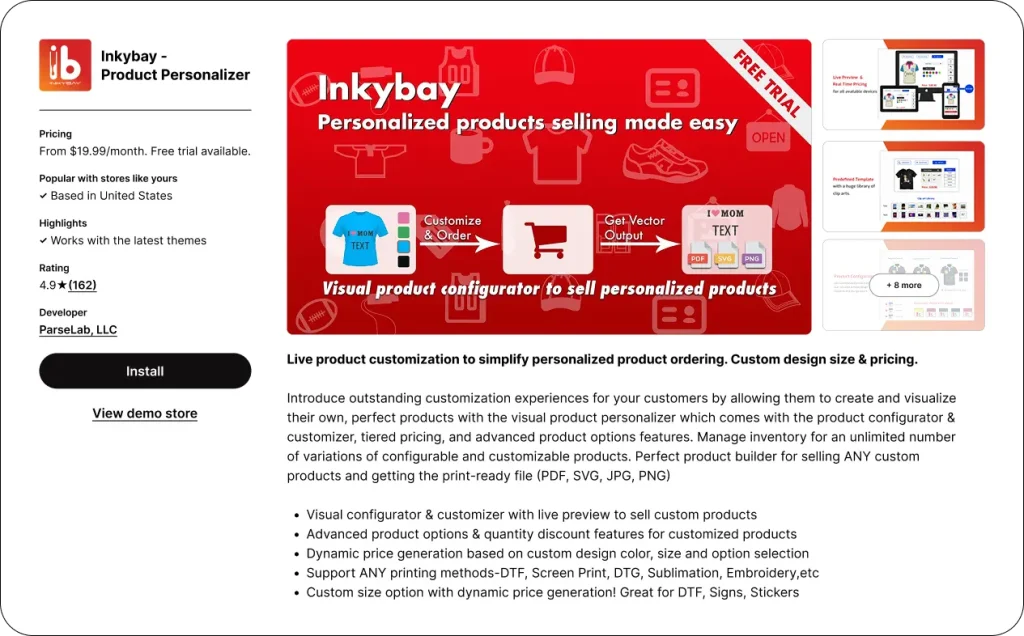
If you want something powerful, easy to use, and budget-friendly for your new Shopify store, InkyBay’s Starter Plan is a great option to begin. It’s one of the most complete product personalization apps on Shopify, built to help merchants turn their store into a true customization experience.
Inside the Design Lab, customers can bring their ideas to life by adding text, images, clip art, logos, and more. Everything is plain and easy, and the advanced product options make each step feel simple. Need custom pricing? InkyBay handles that too. You can set prices for every detail, size, color, design, clipart, or even print area, without juggling between any complicated settings. It’s a perfect choice for new store owners who want full control without feeling overwhelmed.
Order management is smooth as well. The InkyBay app gives you print-ready files to cut down manual work, and customers can add extra notes if they have special instructions. InkyBay is a strong fit for any new Shopify store that wants to focus on customization from day one and do it with clarity, speed, and confidence.
Pros
- A custom print-area setup that can be adjusted to your product shape, ensuring the final product comes out exactly as designed.
- Intuitive Live-preview option that shows every change in real time. Prices also change based on the elements added to the products, which reduces doubt and reduces bounce rates.
- Make templates for every product and help your customers with a faster design experience.
- Advanced product options to enhance the overall personalization experience.
- A dedicated clipart and template library to store and manage all the stickers and templates on your store.
- Print-ready files that come in JPG, PNG, SVG, and PDF forms.
Cons
- You need some practice before jumping into the advanced options. However, their support team is always available to guide you through every step.
Pricing
You can start with InkyBay just for $19.99/month with their starter pack. With the 21-day free trial, you can test out everything you need and see what you exactly like. They have three other premium plans: Advanced ($49.99/month), Professional ($99.99/month), and Unlimited ($249.99/ month).
2. SB Custom Product Personalizer
Overview
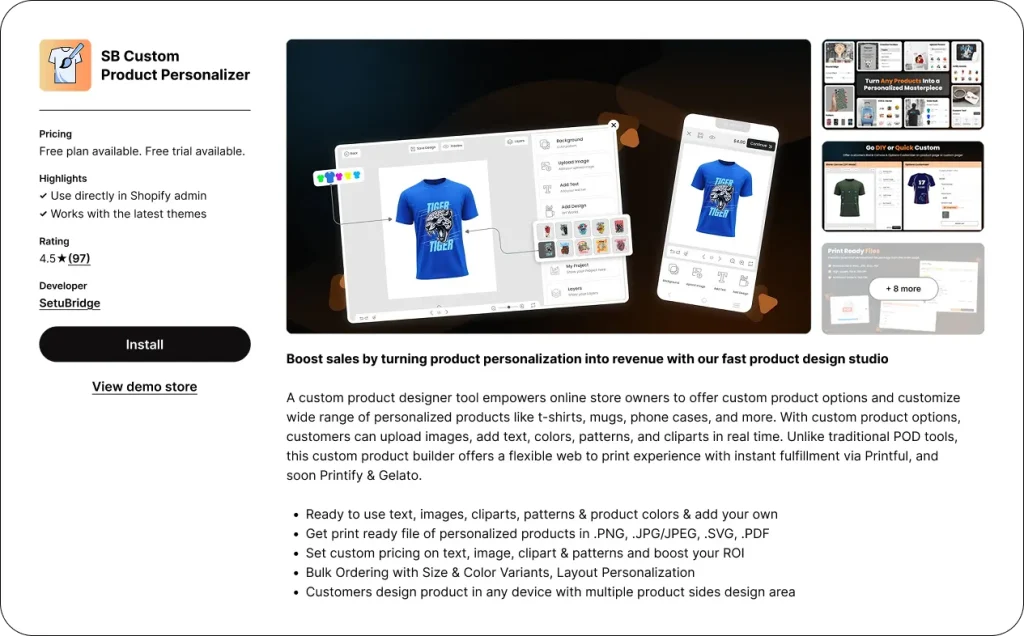
SB Custom Product Personalizer app is a web-to-print studio for Shopify stores, specialized in product personalization. Basically, the merchants can provide the customers with a wide range of customization options for the products, so the customers will be able to create the product by themselves right away by uploading their images, adding text, choosing colors, patterns, and clipart.
Some of the main features are: fully functional assets (text, images, cliparts, patterns, product colors) with the option to add your own; print-ready files can be saved in PNG, JPG/JPEG, SVG, or PDF formats; the possibility to determine the price of the custom elements for an increase in the return on investment; bulk ordering with variants (size, color) and layout personalization; and the ability to use different devices and multi-side design areas.
Pros
- The customer gets more involved with the user-friendly drag-and-drop customization, which results in higher customer satisfaction and sales.
- Installation is done in a jiffy, and setup is without coding; it is compatible with all gadgets, and there is no disruption of the user experience.
- Support of your responsive customer service is sometimes excellent enough for a quick issue resolution and onboarding.
- Extends revenue by custom pricing on components and the feature of bulk ordering.
- Positive user feedback broadly supports the app as a reliable solution for small-to-high-volume stores, merchants with their growth plans, pointing out a 2x revenue potential.
Cons
- Limited support for basic and free plans
- Some features are more difficult to configure and may not provide full coverage of advanced personalization requirements.
Pricing
This app has three premium plans: Startup ($9.99/month or $99.99/year), Growth ($12.99/month or $129.99/year), and Premium ($19.99/month or $199.99/year)
3. Customify ‑ Custom Product App
Overview
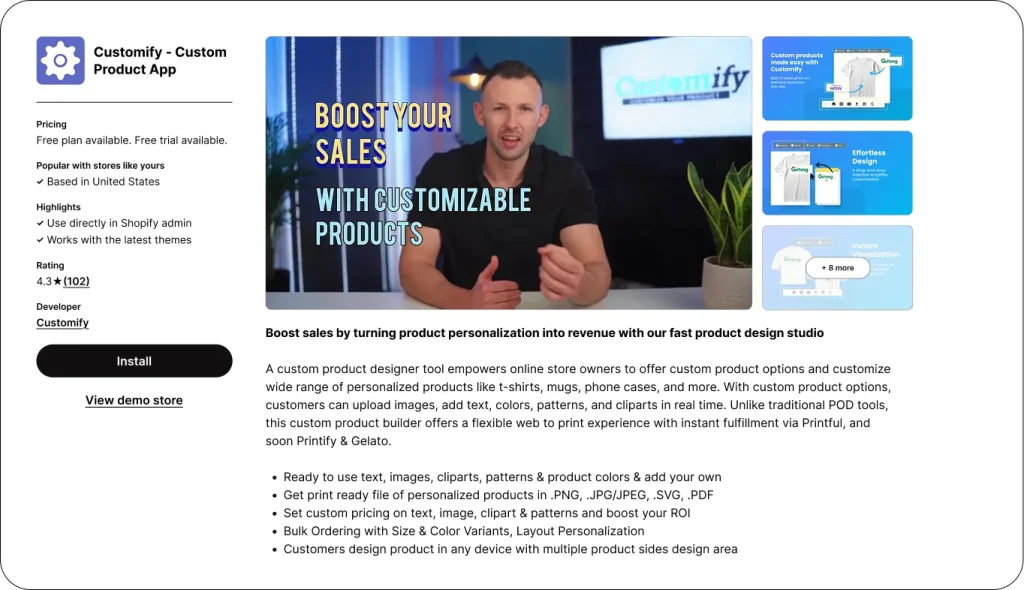
This Shopify app is a great option if you are just starting, because it’s so easy to get started with it. Customify adds a product customizer to your product page so customers can add text, images, and logos there. They can play around with the design elements and see it in real time to ensure it is right on their ally. Also, you can add templates, add artworks, or product mockups for specific products; this would be super helpful when you are just starting your Shopify store.
Customify is great if you are starting a small POD business or just testing out personalized products with a low budget.
Pros
- User-friendly interface with drag-and-drop features that is perfect for new Shopify store owners.
- Offers pre-designed templates that help your customers to place an order quickly.
- Free plan to test out if it actually suits your business or not.
- The Lite plan offers unlimited paid custom orders, which would be great if you want to stay on a budget.
Cons
- Offers a very basic feature set, which can be an issue if you are thinking of a long-term business.
- Shopify store owners have mentioned that the learning curve is too steep. If you are not tech-savvy, it might bug you.
Pricing
Customify is a Freeium app. The Free version is very limited, offering only 3 custom products and 3 paid custom orders. Other than that, it has three paid plans. The Lite Plan ($10/month), The Basic ($15/month), and The Professional ($30/month).
4. Zepto Product Personalizer
Overview
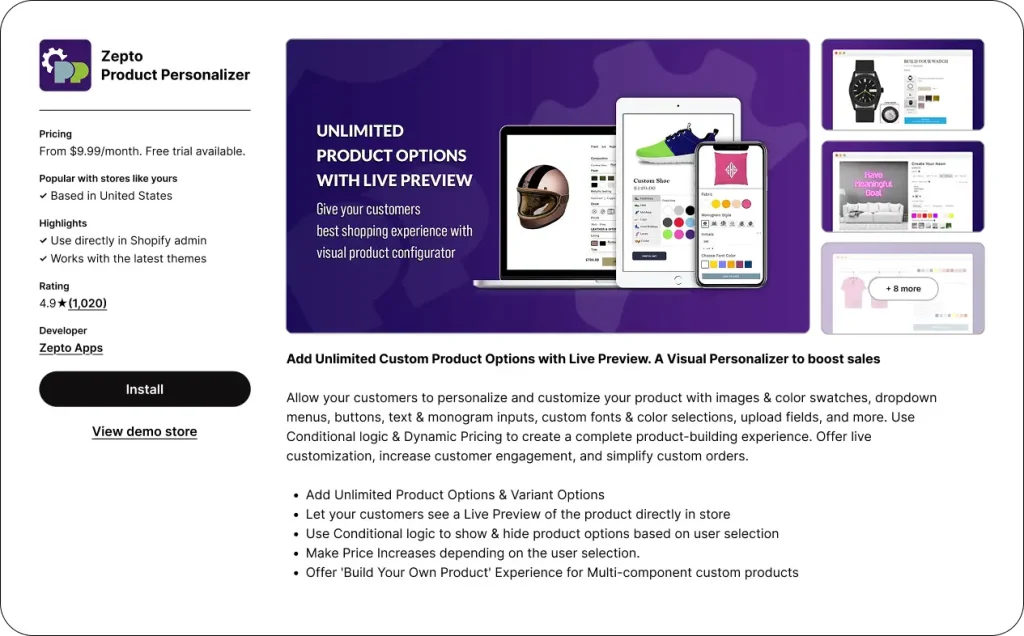
Zepto is another product personalizer that helps you set up a new personalized product store easily. It lets customers personalize products right on the product page. They can add text, monograms, change colors, choose fonts, upload images, and adjust different parts of the products. Zepto’s live preview helps customers to see what their design looks like in real time.
By using their conditional logic feature, you can hide or show custom picks and set pricing, which is helpful to the customers. If you are looking for a personalized product app to keep your store clean and organized, Zepto is the way to go.
Pros
- Real-time preview that reduces customer confusion about the design.
- You can use conditional logic to keep the product page clean and show only relevant choices.
- You can offer a ‘built your own product’ experience with Zeptio, which can be a USP for the new store.
Cons
- The conditional logic can sometimes overwhelm customers if you don’t use it mindfully.
- Limitations on how many personalized products you can run, which can be an obstacle if you are trying to start with a wide range of products on a low budget.
Pricing
Zeptio Product Personalizer starts with a $9.99/month Starter Pack. There are also three other high-tier plans: Basic ($19.99/month), Pro ($29.99/month), and Unlimited ($49.99/month), which will help you scale your business.
5. TeeInBlue Product Personalizer
Overview
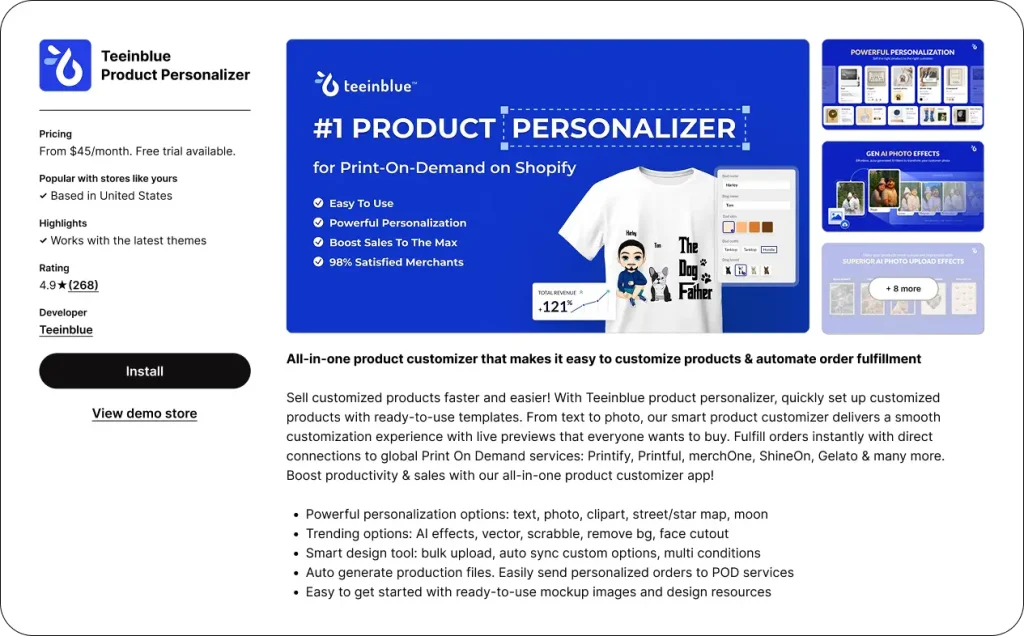
Teeinblue is on our list of the best product personalizer apps for its versatility. If you are opening a new Shopify store that mixes POD and a Personalized products store vibe, then that would be a great option. The app lets your customers design their own product right on the product page. They can see the live preview just before hitting the Buy button.
You can make your customers’ journey easier by uploading artworks, mockups, and templates. Your customers will be even happier by taking advantage of text, photos, maps, and AI effects upload options. As a new Shopify store owner, you can benefit from their print-ready file, which is sent directly to the POD partners.
Pros
- This has various features to make your store rich with personalization options.
- The live preview experience is great, and they can see what they are changing in their design.
- A direct partnership with POD partners makes it easy to automate the entire store.
Cons
- If you are including POD in your personalized business, many of its features will be overwhelming.
- The learning curve is steep if you are very new to Shopify.
- A transaction fee is applied once you start receiving personalized orders, which can be a drawback if you’re starting on a low budget.
Pricing
You can start with Teeinblue for $19/month and then scale to its higher-paid plans. There are three other paid plans: the Growth Plan ($50/month), the Premium Plan ($159/month), and the Enterprise Plan ($549/month).
6. Customily
Overview
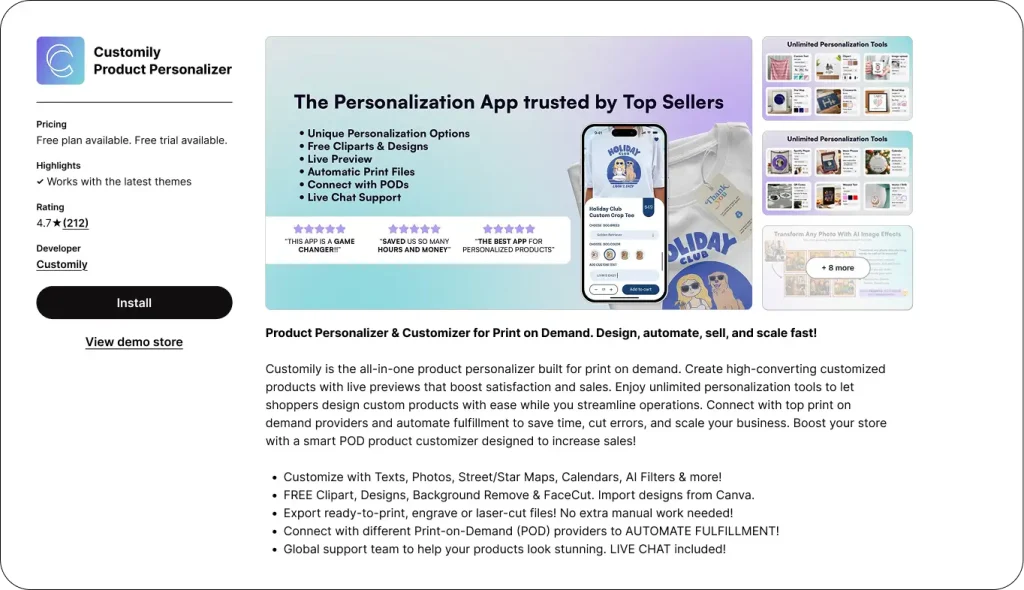
Customily is another affordable option if you are trying to start your very own personalized product business. It helps you design templates with all the options, and your customers can customize them live on the product page. The live preview allows customers to see what they have made.
It is packed with creative tools, so your customers will be able to add text, image, vector file, and generate maps. Their unique feature is adding Shopify songs and applying AI-style features to the photos. This app is excellent for POD and engraved products because it integrates with major POD providers.
Pros
- Deep personalization experience with text, maps, images, calendars, and other elements.
- It has a one-subscription-per-platform policy, allowing you to manage unlimited stores.
- Customers can see their design in real-time, which is responsive and helpful to reduce anxiety.
Cons
- Base Price is slightly higher than its competitors.
- You will be charged transaction fees of $0.10-$1 per personalized item.
- The features have a high learning curve, which can be difficult for beginners.
Pricing
Customily has a free plan to start with. Apart from that, they offer a $49/month per-platform plan that lets you manage unlimited stores on a single platform.
5 Tips to Choose the Best Customization App For Your New Shopify Store
Now that we have compared all the best picks, you can choose the one you like. The best app for your store must meet all your store’s needs and fit your budget. Here are the 5 best tips to choose the best customization apps for your business:
- Choose an app that fulfills your business needs. Understand what type of product personalization you will be offering, e.g., Customization, Personalization, or POD services.
- Consider your store’s theme and the tech stack you are using to ensure the product personalizer you choose performs at its best.
- As a new Shopify store, you must serve mobile users, so choose a product personalizer with a mobile-responsive design lab.
- Your chosen product personalizer must have a clear upgrade plan so you can upgrade your personalized product business anytime you want.
Look for solid reviews and a friendly support team while choosing the best customization app for your business. As a new Shopify business owner, you will need assistance and guidance.
Conclusion
In conclusion, choosing the best customization app for your personalized business is crucial as your business revolves around the product personalizer app. There are plenty of product personalizer apps in the Shopify store ready to be your partner, but not all of them are compact, feature-rich, or suited for beginners.
In this blog, we have handpicked the best customization apps for new Shopify store owners. If you are just starting out and intend to scale in the future, we have the best options listed. Check out the comparisons and pick the best one for your needs.
FAQs: Best Customization Apps for Shopify
What kinds of customization can these apps offer?
The apps discussed in this blog are compact, and they can offer all kinds of customization, from adding text, images, and maps to POD partnering; these apps have it all.
Will customizing products slow down my store?
No, it wouldn’t. If you choose an optimized Shopify app, your Shopify store will never slow down. The product personalizer apps we have chosen in this list have no track record of slowing down merchants’ stores.
Which types of products benefit the most from customization apps?
Apparel, home decor, and gift items benefit the most from customization apps. With the best product customization app, possibilities are endless; you can personalize any item you want. However, some items, such as apparel, home goods, and gifts, have a bit higher profit margins due to customer demand.