

Last Updated on January 26, 2026
Blog Summary
Choosing how to bring a design to life is one of the most exciting, yet tricky, decisions for a custom product business. Whether you’re printing on t-shirts, tote bags, posters, or mugs, the technique you choose shapes everything, from the look and feel of the final product to your costs and turnaround time. With so many different printing methods available, how do you know which is the best fit for your specific product?
Table of Contents
In this guide, I’ll walk you through the twelve most popular printing methods used today. We’ll explore the pros and cons of each, from classic favorites like the screen printing method to cutting-edge digital options, helping you decide on the best method of printing for your materials, budget, and design vision. Let’s find the perfect way to make your creations valuable.
12 Most Popular Printing Methods for Custom Product Businesses
1. Direct-to-Garment (DTG)
You may consider DTG as a sophisticated, giant inkjet printer built for fabric. It sprays water-based inks directly into the shirt fibers, which are then set with heat. This method is a top contender for the best t-shirt printing method for complex artwork.
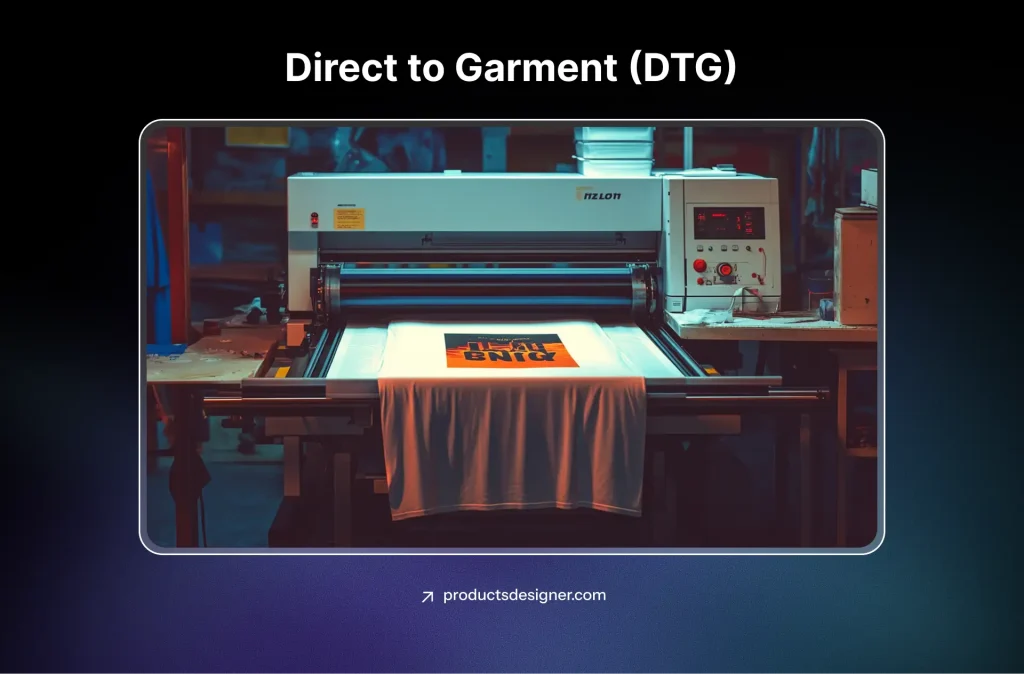
DTG, one of the most popular printing methods, grew directly from the computer inkjet printers we all started using in homes and offices in the 1990s. By the early 2000s, companies figured out how to modify that technology and create inks that could work on fabric, revolutionizing small-batch and custom apparel printing.
Best For: Photographic designs, small batch orders, and items with lots of colors or fine detail.
The Good: Incredible detail with no setup fees, perfect for on-demand printing, and the print feels soft.
The Consideration: It works best on 100% cotton and isn’t the fastest or most cost-effective for huge, single-color bulk orders.
2. Direct-to-Film (DTF)
DTF is fast becoming one of the most popular printing methods for shirts. The design prints onto a special film, gets coated with a sticky adhesive powder, and is then heat-pressed onto the item.
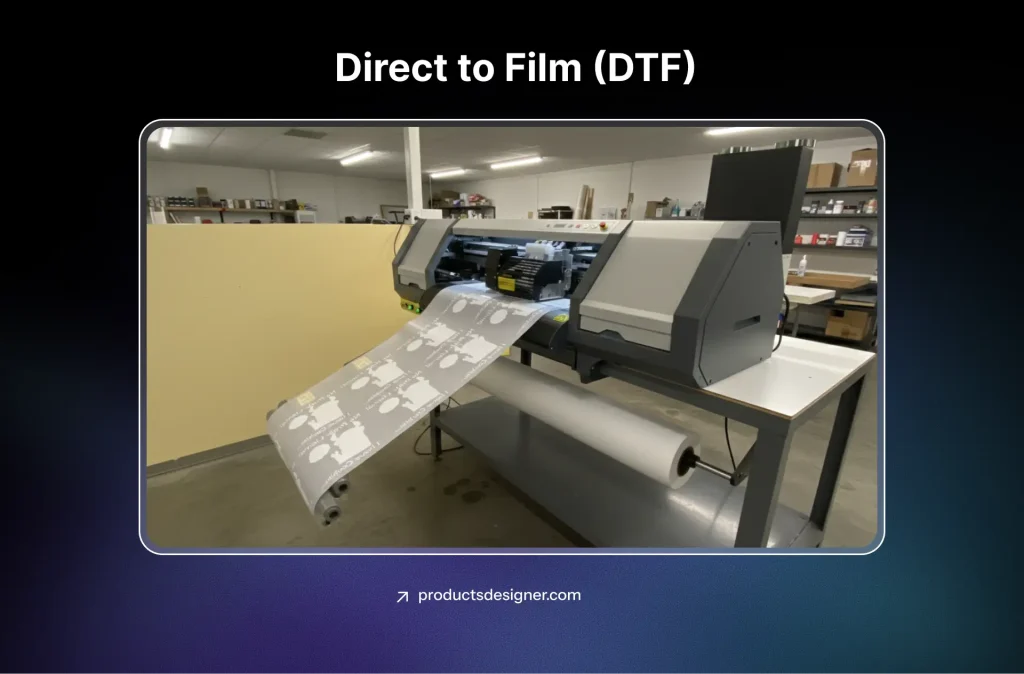
DTF took off around 2020 by combining parts of other methods. It uses printers similar to DTG but adds a powdered adhesive adapted from the plastics industry. This combo solved a big problem: printing bright, durable designs on any fabric, including tricky polyester blends.
Best For: Vibrant prints on any fabric blend (cotton, polyester, blends) and products with tricky seams or textures.
The Good: Extremely versatile, durable, and delivers bright colors on dark garments.
The Consideration: The print can have a slightly more noticeable texture or “plastic” feel compared to DTG.
3. Sublimation Printing
Sublimation uses heat to turn solid ink into a gas that permanently dyes polyester fibers or coated surfaces. It’s a top choice as the most popular printing method for both apparel and hard goods.
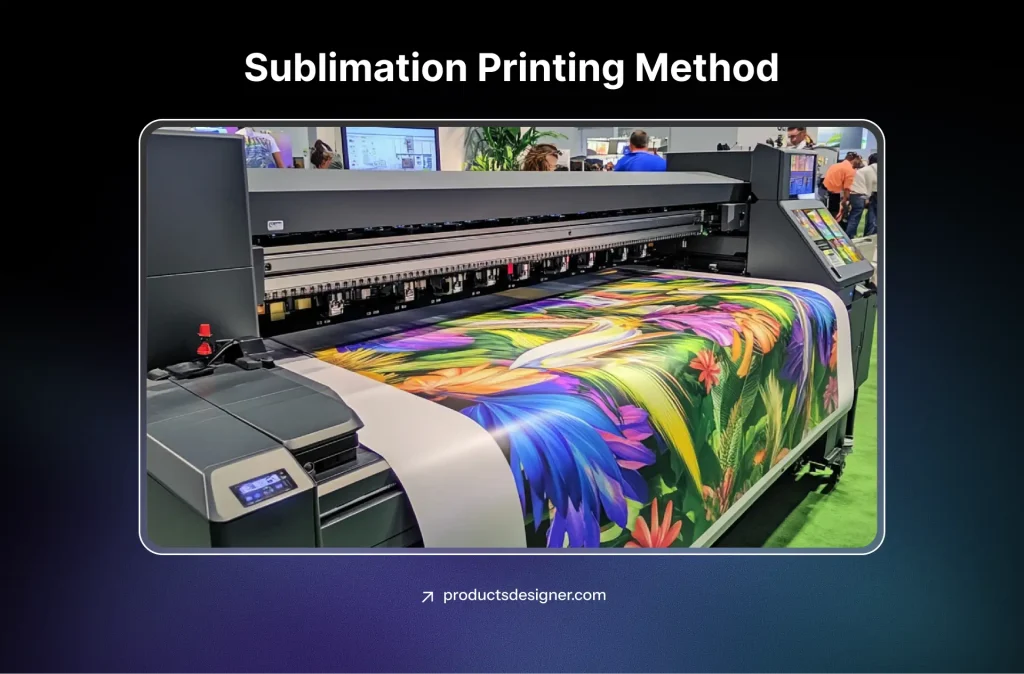
The science of sublimation, where a solid turns directly into a gas, has been known for centuries. But its use in printing began in the mid-20th century with the development of special dyes. It became popular for custom products like mugs and flags in the 1970s and exploded with the digital printing and polyester athletic wear boom of the 2000s.
Best For: All-over-print (AOP) apparel, sports uniforms, and coated products like mugs, puzzles, and mousepads.
The Good: The design becomes part of the material, so it won’t crack or peel. It allows for seamless, edge-to-edge coverage.
The Consideration: It only works on polyester-based fabrics or polymer-coated items. You cannot sublimate onto 100% cotton.
4. Screen Printing (Silkscreen)
The cult screen printing method involves pushing ink through a fine mesh stencil, one color at a time. It’s the industry standard for volume.
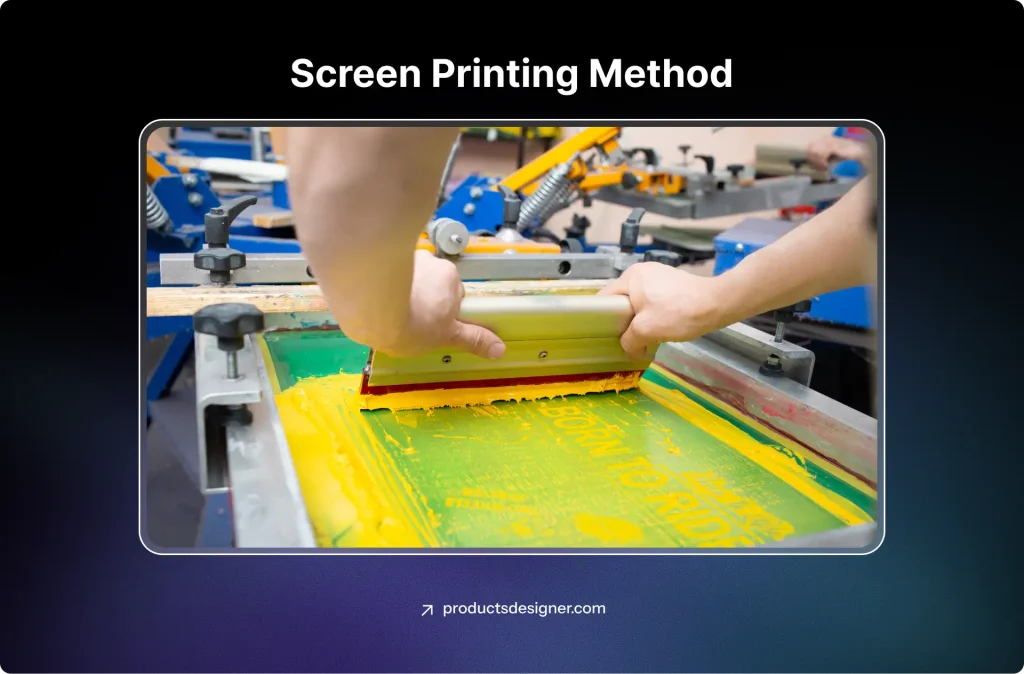
This is one of the oldest forms of printing. Ancient cultures in China and Japan used similar stenciling techniques over 1000 years ago. The modern version, using silk mesh (hence “silkscreen”), was patented in the early 1900s. It became the heart of the t-shirt industry in the 1960s, used for band merch, brand logos, and protest slogans, cementing its place in culture.
Best For: Large bulk orders (typically 50+ units) with bold, simple designs and limited colors.
The Good: Extremely cost-effective at scale, highly durable, and offers vibrant, opaque colors.
The Consideration: High upfront setup costs and time make it impractical for small orders or designs with many colors.
5. Heat Transfer Vinyl (HTV)
HTV involves cutting designs from rolls of colored vinyl and then heat-pressing them onto the product. It’s one of the most accessible and different shirt printing methods.
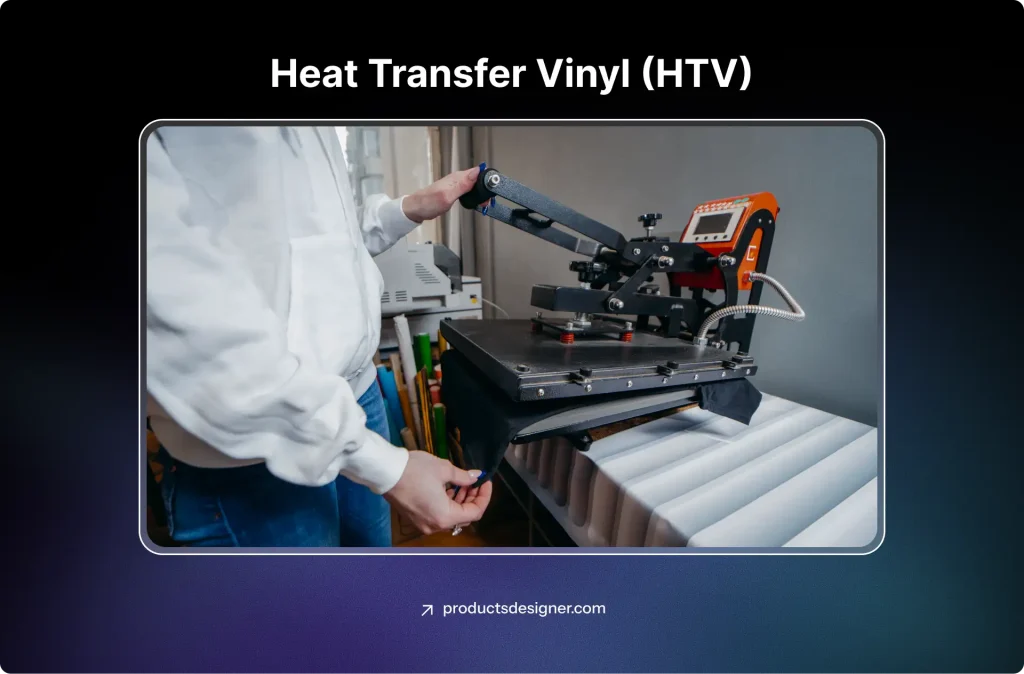
Vinyl as a material was invented in the 1920s. The heat-transfer method for garments took off in the 1960s, often used for simple iron-on patches. The tables turned with the rise of affordable, computer-controlled cutting machines (like Cricut and Silhouette) in the 2000s. This made precise, DIY vinyl application easy for small businesses and hobbyists.
Best For: Personalized names/numbers, simple text logos, and durable markings on workwear.
The Good: Clean, no-mess application; great for small runs and multiple color placements without complex setups.
The Consideration: Designs are limited to solid colors and simple shapes. Low-quality application can lead to peeling or cracking over time.
6. UV Printing
This method uses ultraviolet light to instantly dry and cure ink as it’s printed. It’s revolutionizing printing methods for non-fabric items.
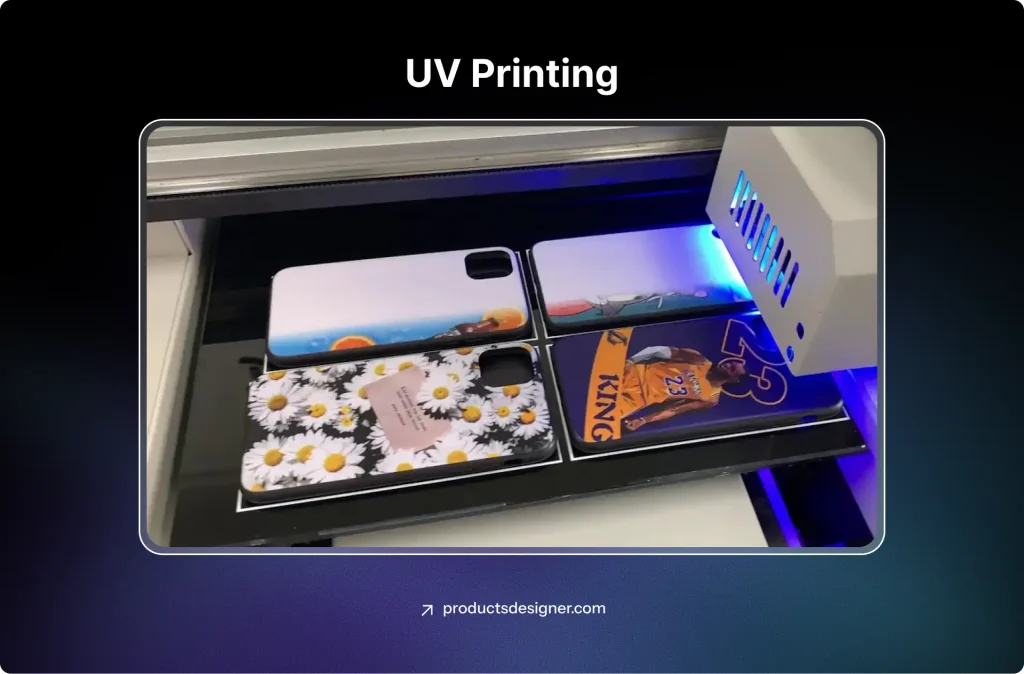
UV-curable inks were developed in the 1960s, but the technology for precise printing took decades to mature. It really began to transform the sign, award, and industrial labeling industries in the early 2000s. The ability to print directly onto almost any rigid material, without pre-treatment, made it a huge leap forward from older methods like solvent printing.
Best For: Customizing hard, flat, or slightly curved surfaces like acrylic signs, glass bottles, metal panels, and wood plaques.
The Good: Produces incredibly sharp detail, is highly scratch-resistant, and works on an enormous range of materials.
The Consideration: Requires specialized, often expensive equipment. It is not suitable for stretchy, flexible fabrics.
7. Embroidery
While not a print, it’s a cornerstone of custom product branding. The thread is stitched directly into the fabric with automated machines.
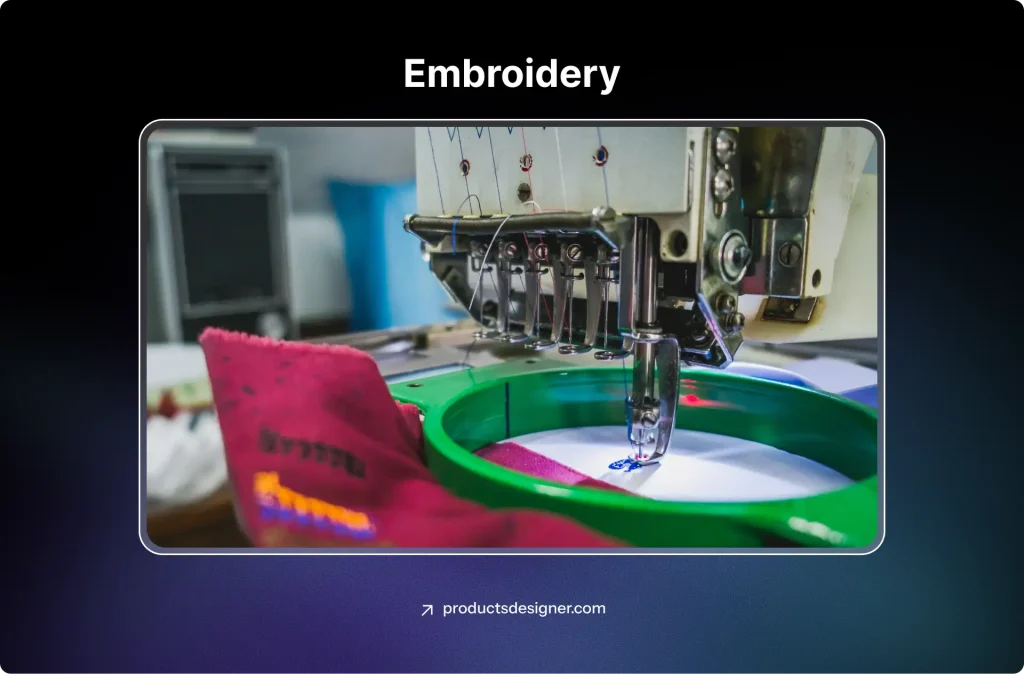
Embroidery is an ancient art form, dating back thousands of years across cultures, done entirely by hand. The first mechanical embroidery machines were invented in the 1800s. The computer-controlled, multi-head embroidery machines we use today started to become common in the 1980s and 90s, allowing businesses to automate high-quality, consistent stitching for logos and branding.
Best For: Adding a premium, professional look to hats, polo shirts, jackets, and bags.
The Good: Unmatched durability and a high-end, textured feel that customers associate with quality.
The Consideration: Not suitable for highly detailed artwork or photo-like images. Cost increases with the number of stitches and colors.
8. 3D Printing
3D printing builds objects layer by layer from materials like plastic or resin, based on a digital 3D model. It’s a printing method that creates the product itself.
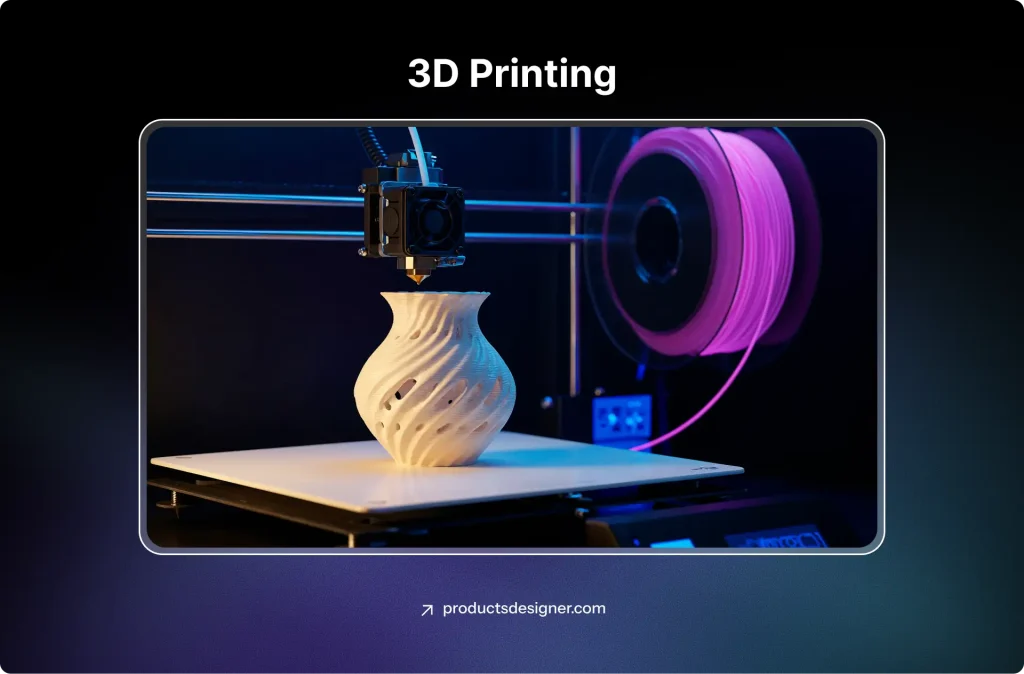
The first concepts for 3D printing appeared in the 1980s, originally for rapid prototyping in engineering and manufacturing (which is why it’s called “additive manufacturing”). As patents expired and technology improved in the 2010s, it became affordable and accessible for small businesses, artists, and makers to create final products, not just prototypes.
Best For: Custom prototypes, jewelry, figurines, and unique promotional items with complex geometries.
The Good: Unlimited design freedom for shapes and structures; ideal for one-of-a-kind items.
The Consideration: Production is relatively slow, and items often require finishing work like sanding or painting.
9. Laser Engraving
A laser beam removes material or changes its surface color to create a permanent, precise mark.
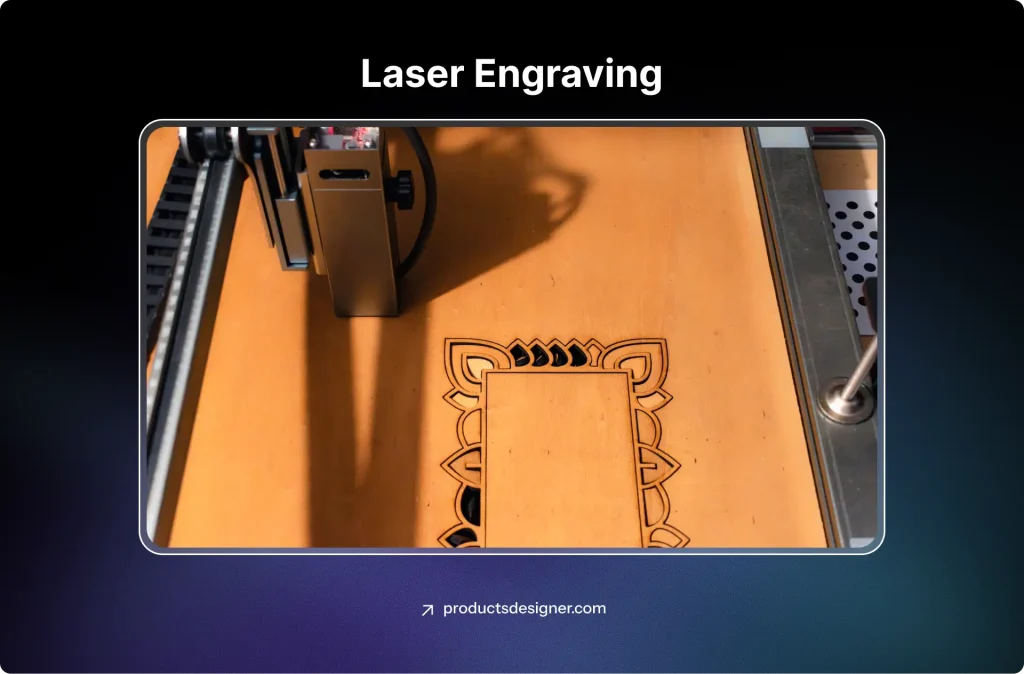
The first working laser was built in 1960. By the 1970s, industrial lasers were being used to cut and drill materials. The use of lasers for detailed engraving and marking became widespread in manufacturing in the 1980s and 1990s. Like vinyl cutting, it became much more accessible to small shops in the 2000s with the rise of cheaper, desktop-friendly laser systems.
Best For: Personalizing drinkware (tumblers, flasks), leather goods, wooden pens, and acrylic awards.
The Good: Creates a sophisticated, permanent mark. Excellent for fine detail and serial numbers.
The Consideration: It is a mono-color process; the “color” comes from the contrast between the engraved and non-engraved material.
10. Large Format Printing
This uses wide-format printers to produce oversized graphics on vinyl, canvas, fabric, and other materials.
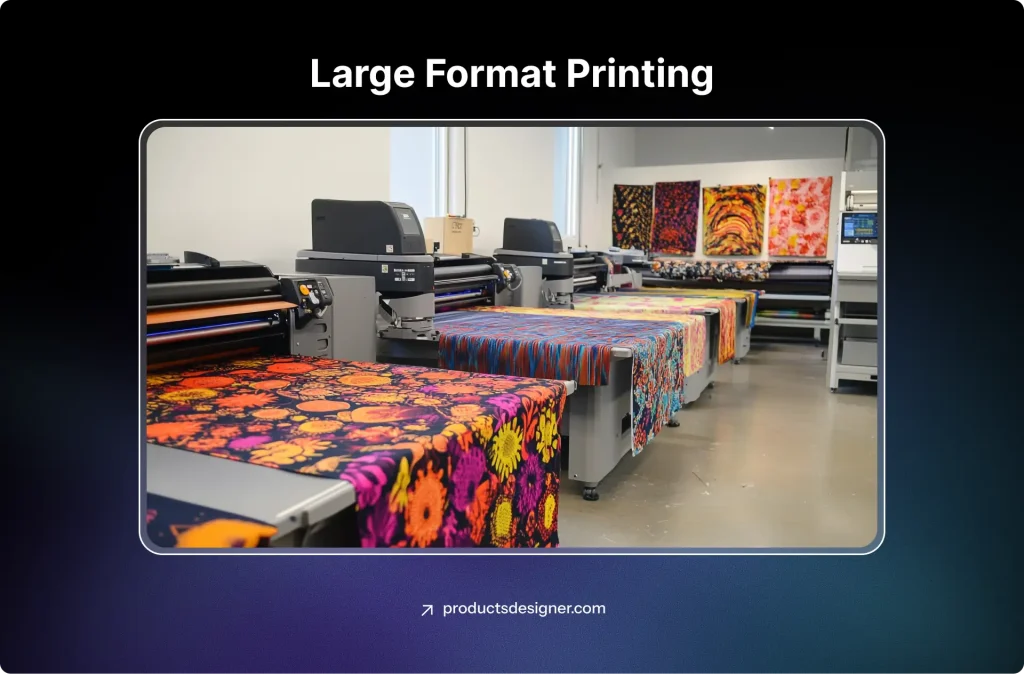
Before digital printers, large graphics were hand-painted or made by piecing together smaller printed sections. The first wide-format inkjet printers emerged in the 1990s, initially for CAD (computer-aided design) and engineering drawings. The technology quickly evolved to print in full color on various materials, completely replacing hand-painted billboards and signs by the early 2000s.
Best For: Trade show banners, vehicle wraps, wall murals, and large posters.
The Good: Makes a huge visual impact; can produce durable, weather-resistant outdoor graphics.
The Consideration: Requires significant space and large-format equipment. Not for individual small product decor.
11. Embossing & Debossing
These processes use custom-made metal dies and pressure to create a raised (embossed) or recessed (debossed) design in a material.
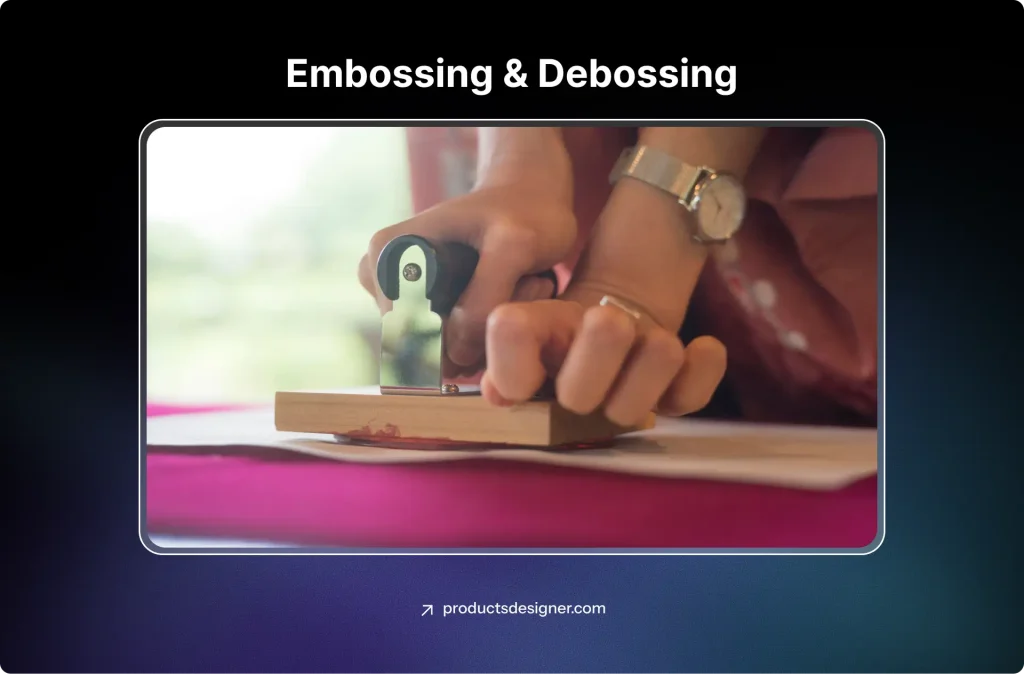
Embossing is incredibly old, with examples found on ancient leather and metal artifacts. In paper, it became a sign of quality and authenticity for official documents, certificates, and books in the 18th and 19th centuries. The process is fundamentally the same today, though the creation of the metal dies has been sped up by computer-guided machining.
Best For: Elevating business cards, leather notebooks, high-end packaging, and stationery.
The Good: Adds an elegant, textured feel that ink cannot replicate, conveying luxury and quality.
The Consideration: The custom dies are expensive, making this method best for medium-to-large runs of the same design.
12. Foil Stamping
Similar to embossing, heat and pressure are used to transfer a thin layer of metallic or pigmented foil onto a surface.
Foil stamping has its roots in book binding and luxury packaging of the late 1800s, using real gold leaf. The development of thinner, more affordable synthetic foils (like holographic and colored foils) in the 20th century made the process more accessible. It remains a favorite for adding instant glamour and attention-grabbing shine to any flat surface.
Best For: Wedding invitations, book covers, cosmetic packaging, and luxury labels.
The Good: Delivers a brilliant, reflective finish that is eye-catching and feels premium.The Consideration: Requires a custom die. Works best on smooth, coated papers and some leathers.
How to Choose the Right Printing Method for Your Business?
So now you know the most popular printing methods. But when it’s time to make a decision for your own product, you might still be wondering, “Okay, but which one is actually right for me?”
Choosing isn’t about finding the single “best” method overall. It’s about matching the strengths of these different printing methods to the specific needs of your project. Think of it like picking a tool. You wouldn’t use a sledgehammer to hang a picture frame, right? The same logic applies here.
Let’s walk through the key questions you should ask yourself. Your answers will point you straight to your perfect match.
1. What Are You Actually Printing On?
This is your starting point. The material decides the game.
100% Cotton T-Shirts? You have the most options. Direct-to-Garment (DTG) will feel soft and handle complex art. Screen printing will give you bold, durable color for simple logos. DTF works here, too.
Polyester Sportswear or Blends? Your goto choice are Sublimation (for all-over designs) and DTF. DTG is not really suitable here, and screen printing needs special inks.
- Hats, Beanies, or Thick Jackets? Embroidery is the classic, premium choice for texture and durability. DTF is also a great option for fabrics that are hard to print on flat.
- Mugs, Phone Cases, or Puzzles? Look at Sublimation for light-colored, coated items or UV Printing for incredible detail on almost any hard surface.
- Paper, Cards, or Luxury Packaging? Foil Stamping and Embossing create that unforgettable tactile, high-end feel.
2. What Does Your Design Look Like?
Your design or artwork makes a big contribution to the conversation. Is it a full-color photograph or a detailed painting with gradients? Your best t-shirt printing method for this is almost certainly DTG. It handles limitless colors without extra cost.
- Is it a simple, bold logo with just 1-3 colors? This is where the screen printing method works well, especially if you’re making lots of items. It’s also perfect for HTV if your order is small.
- Does it need a shiny metallic or neon color? Foil Stamping (for paper) or specialty HTV/inks in screen printing are your go-tos. Standard printing inks can’t replicate that foil shine.
- Is it a design that covers the entire product, edge-to-edge? Sublimation is your only real option for seamless, all-over patterns on apparel and certain hard goods.
3. How Many Are You Making?
This might be the most important question for your budget. Just one, or a somewhat of a quantity for a small test run? Avoid methods with high setup costs. DTG, DTF, or HTV are perfect here. They are really good at on-demand and low-quantity orders.
- A few dozen for a local event or small launch? DTF and DTG remain strong. Screen printing might start to become cost-effective around 50 pieces for simple designs.
- Hundreds or thousands for a big launch or wholesale? This is screen printing’s one of the core strengths. The upfront cost gets spread over so many items that the price per piece becomes very low. For hard goods, UV printing and sublimation also become very efficient at scale.
4. What’s Your Budget & Timeline?
Be honest with yourself about money and time. Budget is tight, need it fast for a few Items? Methods with little to no setup, like DTG or DTF, will be your most affordable way out. Sending out for embroidery or screen printing with custom setups will cost more and take longer.
If you budget for setup, planning for the long run? If you’re investing in a large order, the higher setup cost of screen printing, embroidery dies, or foil stamping dies pays off. The per-item price drops, and you get extremely durable, professional results.
Putting It All Together, let’s say you’re making…
- 50 black cotton tees with a 3-color club logo: Go for Screen printing. It’s cost-effective at this quantity and gives vibrant, opaque color on dark fabric.
- 24 performance polyester jerseys with a full-color team photo: Go for DTF. It handles the fabric and the complex design perfectly for a mid-size run.
- 1 custom pillowcase with your pet’s face: Go for DTG. No setup, perfect for a single, detailed item.
- 100 branded tote bags for a conference: Go for Embroidery for a premium feel or DTF for a colorful, detailed logo.
- 500 metallic gold wedding invitations: Go for Foil Stamping. No other method gives that luxurious, reflective shine.
There’s no single right answer, but by asking these questions, you move from feeling overwhelmed to feeling in control. You’re not just picking a random printing method; you’re making a smart, informed choice for your business and your product. And that’s how you turn a great idea into a fantastic finished item that your customers will love.
How a Product Customization App Simplifies Printing Workflows?
So, now you might have already found your perfect match. You know that maybe your all-over-pattern leggings need sublimation, your bold logo tees for the company picnic are perfect for screen printing, and those personalized coffee mugs are a job for UV printing. That’s a huge step.
But the real-world puzzle pops up next, how do you actually collect those designs from your customers, turn them into perfect, print-ready files for each different printing method, and keep everything organized without losing your mind?
This is where the magic of a product customization app, like InkyBay for Shopify, appears. Think of it as the translator and manager between your customer’s creativity and your printer’s technical needs.
Usually, getting a custom design can be messy and tiresome or stressful. Customer emails a low-res JPEG, and you have to ask for a bigger file. They send a PNG with a weird background you have to remove. You then have to resize it, check the color specs for your chosen shirt printing method, and hope you understood their imagination.
InkyBay flips this entire process. It lets your customers become the designers, right on your product page. They can add text, upload their own art, choose colors, and place everything exactly where they want it using the InkyBay design lab. The best part? When they click “Add to Cart,” the app doesn’t just save a vague idea; it generates a crisp, high-resolution, and print-ready design file tailored to the product they customized.
This illustrates no more guessing, no more back-and-forth emails asking for better files, and no more accidentally accepting a design that won’t work with your best method of printing on t-shirts. The technical headache is taken care of before the order even reaches you.
With InkyBay: Total Control, Zero Hassle
Maybe you offer both screen-printed tees and DTG premium hoodies. The costs for these different printing methods aren’t the same. With InkyBay Product Customizer, you’re in total control, the decider.
You can set specific rules and charges right within the tool. For example: You can make basic text customization free, but charge a small fee for uploading a full-color logo since that might require the best t-shirt printing method for detail, like DTG. You can automatically add an “All-Over Print” fee for designs that will need sublimation. You can even guide the customer’s choices by limiting color palettes or design areas to match the strengths of your preferred screen printing method.
This control is powerful, and it is barely available in any other printing software or printing apps. It protects your profit margins for each type automatically and sets clear expectations for your customer. There are no surprise costs for you, and no confusion for them.
A Smoother Path from Idea to Finished Product
In short, a tool like InkyBay doesn’t just offer customization; it turns your entire workflow easier. It turns the most unpredictable part of a custom product business, managing unique design requests, into a smooth, automated system.
You get happy customers who feel truly involved in the creation of their product. And you get the peace of mind that comes with receiving professional, ready-to-print files, clear pricing, and an organized dashboard of orders that are already sorted for the most popular printing methods you use.
It’s the final piece that connects your knowledge of different shirt printing methods to a seamless, scalable, and successful business operation. You’ve done the hard work learning the craft; now, let the right tools handle your busywork.
Wrapping Up
Let’s conclude this way, each printing method exists for a reason, and ach solves a specific problem. The key takeaway is simple. There is no single best printing method for every product. The best method of printing on t-shirts, hard goods, or packaging always depends on what you are making, how many you need, how detailed the design is, and the experience you want your customer to have.
When you understand how different shirt printing methods work and where their strengths lie, decision-making becomes easier. You stop guessing. You stop overspending. And you start choosing printing methods that match your product goals, not fight against them. Use that knowledge with the right tools, and the process becomes even smoother. A product customization app helps turn customer ideas into clean, print-ready files that align with your chosen printing methods. That means fewer mistakes, faster production, and happier customers on both sides.
At the end of the day, mastering printing methods is not just about ink, fabric, or machines. It’s about control, clarity, and consistency. When you get those right, your custom product business is built to scale, adapt, and stand out, even in a crowded market.
Frequently Asked Questions (FAQs)
Direct-to-Garment (DTG) and Heat Transfer Vinyl (HTV) are the best printing methods for beginners.
DTG is beginner-friendly because it has no complex setup and prints full-color designs directly onto cotton fabrics. It works well for small orders and custom designs without requiring prior printing experience.
HTV is another easy option, especially for simple text or logo designs. It involves cutting vinyl and heat-pressing it onto the product, making it affordable and manageable for small custom product businesses or startups.
Both methods allow beginners to start with low investment while learning how different printing methods work.
Screen printing and Direct-to-Garment (DTG) with proper curing are among the most durable printing methods for garments.
Screen printing offers excellent longevity with vibrant colors that withstand frequent washing. For best durability with DTG, proper pretreatment and curing are essential.
Screen printing is the most cost-effective method for large orders (typically 50+ items).
While setup costs are higher, the per-unit cost decreases significantly with volume, making it economical for bulk production.
DTG works best on 100% cotton or cotton-rich fabrics.
While it can print on polyester blends, the results may vary, and special pretreatment or inks might be required for optimal results on synthetic materials.